Episode 10
Episode 10: Which QuickBooks Plan Is Right for Your Business?
Episode 10: Which QuickBooks Plan Is Right for Your Business?
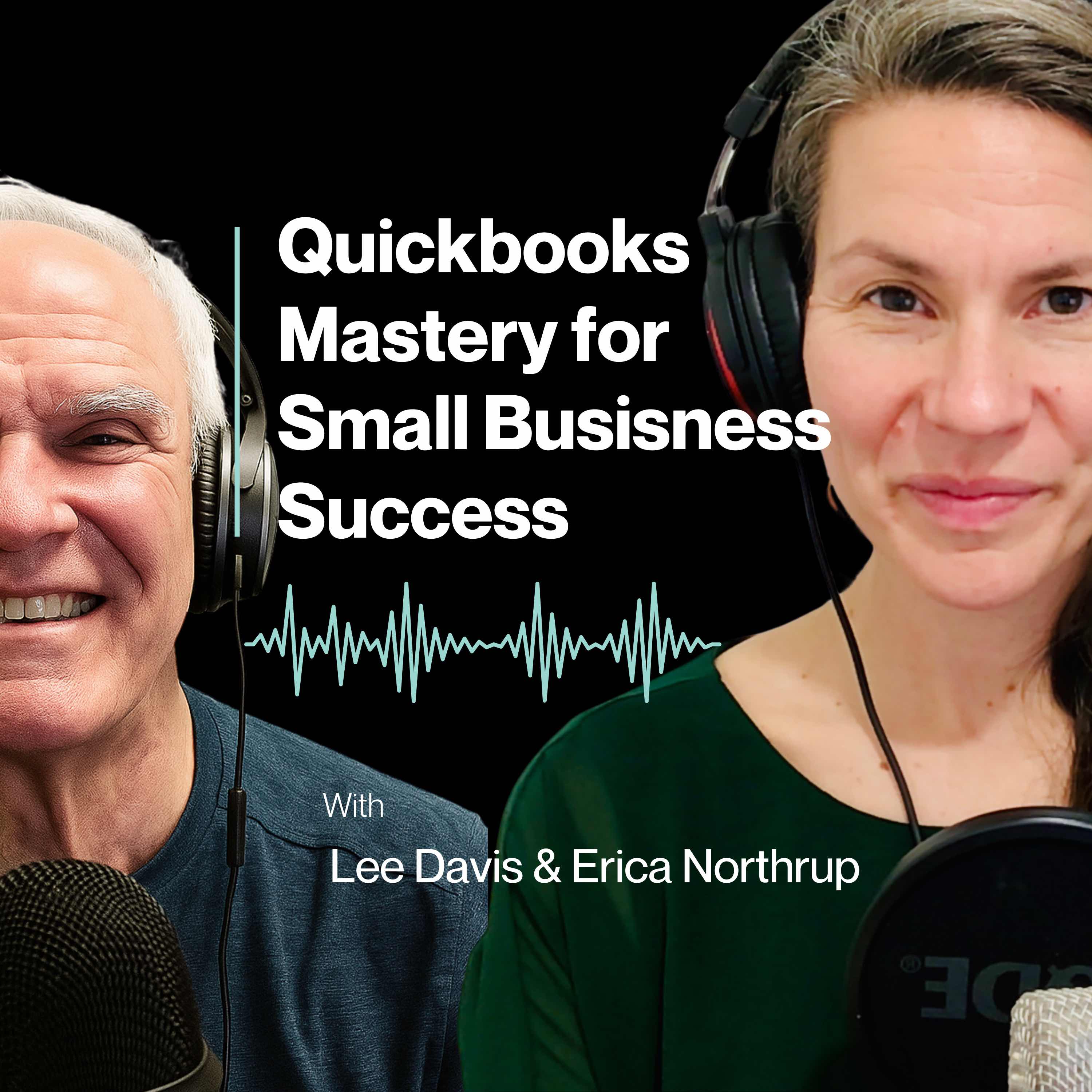
In this episode of QuickBooks Mastery for Small Business Success, father-daughter team Erica Northrup and Lee Davis break down how to choose the right QuickBooks plan based on your business size, structure, and complexity. They explore why so many business owners overbuy software, the most common mistakes when selecting a plan, and how to confidently match your QuickBooks version to what you actually need today — not where you hope to be someday.
Listeners will gain clarity, confidence, and a simple framework they can use immediately to choose (or adjust) their QuickBooks plan.
Key Takeaways
- The real differences between QuickBooks Online and Desktop
- Who QuickBooks Solopreneur is designed for — and when it makes sense
- How the Simple Start, Essentials, Plus, and Advanced plans compare
- Why matching your plan to complexity (not ambition) saves money
- How to upgrade confidently as your business grows
Questions to Reflect On
- Do I track inventory or projects in my business?
- How many users truly need access to my books?
- Do I need budgets, classes, locations, or custom reports?
Mentioned in This Episode
Free 3-Part Quick Start Guide to Getting Started with QuickBooks
Download at: www.leedavisandcompany.com
Send Us Your Questions:
support@leedavisandcompany.com
Recommended Resources
- Free 3-Part Quick Start Guide – www.leedavisandcompany.com
- Quickbooks Check list (Questions to ask yourself) - Download Here
Timestamps
00:53.477 – Intro: Which QuickBooks plan fits your business?
01:17.522 – QuickBooks Desktop vs Online (what’s changed)
02:56.495 – QuickBooks Solopreneur (who it’s for + key features)
05:12.044 – QuickBooks Online plans overview (Simple Start → Advanced)
05:51.543 – Simple Start
06:53.382 – Essentials
07:36.673 – Plus
08:28.281 – Advanced
09:20.811 – Pro tips (inventory, projects, users, budgeting)
10:04.530 – 4-question decision framework (how to choose fast)
11:08.430 – Promotions and why not to overbuy
11:35.668 – Checking integrations with your industry software
12:07.517 – Key takeaway: match complexity, not ambition
12:46.299 – Recap + teaser for next episode
Call to Action
If you enjoyed this episode, hit subscribe and stay connected with us at leedavisandcompany.com.
Download our free 3-Part Quick Start Guide to get started with QuickBooks the right way.
Have a QuickBooks question? Send it to support@leedavisandcompany.com — your question may be featured in a future episode.
Transcript
Welcome to QuickBooks mastery for small Business Success.
Speaker A:I'm Erica Northrup.
Speaker B:And I'm Lee Davis.
Speaker A:I handle the tech and he handles the numbers.
Speaker A:And together as a father daughter team, we bring decades of experience helping small to medium sized businesses thrive.
Speaker B:We know that as a business owner, your time is best spent mastering your craft and growing your business, not getting lost in QuickBooks.
Speaker B:Managing finances can be confusing and you don't have hours to waste sorting through spreadsheets or fixing bookkeeping mistakes.
Speaker B:That's where we come in, helping you streamline QuickBooks so you can focus on building your business.
Speaker A:Each week we break it all down into simple, actionable steps so you can focus on growing your business, not fixing your books.
Speaker B:Let's embark on this journey together.
Speaker A:Welcome back.
Speaker A:This is episode 10, which QuickBooks plan is right for your business?
Speaker A:I feel like this has been long overdue.
Speaker A:I feel like this should have been one of the first podcasts we did.
Speaker A:But in this episode we're going to be Talking about which QuickBooks plan actually fits your business.
Speaker A:So let's get into it and let's first talk about desktop verse online.
Speaker B:I think with the transition QuickBooks has made, they essentially have three phased out their QuickBooks Pro and moved people into more of the online version.
Speaker B:For years and years, many people had the desktop, the pro version.
Speaker B:And as QuickBooks has integrated more into the online product, the desktop product is more primarily for enterprise, which would be for larger companies for sure.
Speaker A:So basically, if you already have it, you're grandfathered it.
Speaker B:Yes.
Speaker A:If you don't have the desktop version, your option is the online version.
Speaker A:If you are a very large business or if you want to track a lot of inventory or things like that.
Speaker A:The enterprise version, that is for those businesses that would like to track those kind of things.
Speaker B:Yeah.
Speaker B:Inventory and job costing.
Speaker B:And so you can do that kind of work in the online version.
Speaker B:It's not the best product for it.
Speaker A:Right.
Speaker A:It's not set up for it.
Speaker B:Yes.
Speaker A:Okay.
Speaker A:I think that really simplifies at least the decision between the desktop version and the online version.
Speaker A:So if you're a huge corporation and you need that kind of inventory, job costing features, you're going with enterprise, which is only desktop.
Speaker A:And if you're Everybody else, probably 90% of all businesses, you're going to go with the QBO version.
Speaker B:That's correct.
Speaker B:Yeah.
Speaker A:Awesome.
Speaker A:Okay.
Speaker B:Simplest way to maybe look at it, right?
Speaker A:Very.
Speaker A:Let's keep things simple around here.
Speaker A:I like simple.
Speaker A:Simple is good.
Speaker A:So let's just touch really briefly.
Speaker A:They made A new change.
Speaker A:There used to be a product that was called QuickBooks Self Employed.
Speaker A:So that's moved from being called QuickBooks Self Employed to QuickBooks Opener.
Speaker A:So let's just touch the highlights because I feel like this might need its own episode along with another particular version of QuickBooks that we're not going to necessarily get into today.
Speaker A:Let's talk about who that's for and what are some of those features, the differences between Solpinur and some of the other QuickBooks versions.
Speaker B:I think the SoloPreneur product is really designed for the, you know, it does replace the QuickBooks self employed as you said, and it's really tailored for the one person business filing a schedule C, your hairdresser, your sole proprietors.
Speaker B:And it does directly connect with TurboTax for smooth tax filing.
Speaker A:Makes that a little easier.
Speaker B:It does allow you to track income and expenses.
Speaker B:And there's a feature in it that I always thought was helpful in separating the business versus the personal transactions.
Speaker B:Because many solopreneurs have one checkbook, you don't need to have a separate checkbook for your business and personal.
Speaker B:You can run them together.
Speaker B:The mileage tracking feature is okay as long as you have good cell coverage.
Speaker A:Yep.
Speaker B:If you don't have good cell coverage, don't think about being helpful.
Speaker A:So New Hampshire would not be a.
Speaker B:Good place, not be a good place for that.
Speaker B:It does have invoice and payment acceptance, meaning you can do your invoicing and take payment right on site.
Speaker B:It has improved transactions for doing estimates and creating invoices.
Speaker B:It's best for the Trusolo operator who wants simplicity and build in tax preparation.
Speaker B:And it doesn't offer any of the features like budgets or you can't have employees.
Speaker B:And so it's just really designed for the entrepreneur, really very simple.
Speaker A:Maybe they've integrated, they're using one account for business and personal.
Speaker A:So this will give them kind of separation that's important for when you're running a business and then integration in with your taxes.
Speaker A:So if you're doing your own taxes through TurboTax, this might be the option for you.
Speaker B:It would be best for tax simplicity.
Speaker A:Yeah.
Speaker A:Yeah, it makes a lot of sense.
Speaker B:Yeah.
Speaker A:I feel like there are four main versions of the actual full QBO QuickBooks online version.
Speaker A:So there's four categories, if you will, of QBO.
Speaker A:So we're going to break those down for our listeners and help them decide and know which version will be right for them.
Speaker A:And as you grow, as your business grows, you might want to move from One version to another.
Speaker A:So you might start out as a Solopreneur and then your business grows and you might want to move into Simple Start or Essentials or Simple.
Speaker A:Some of the other versions.
Speaker B:That's correct.
Speaker A:Okay.
Speaker A:The first kind of most, simplest, and I guess this is in the name the Simple Start version of Hubo.
Speaker A:Let's talk about that a little bit.
Speaker B:Yeah, this is probably almost very similar to Solopreneur, except it does offer more of a feel of QuickBooks that as opposed to Solopreneur, so that you want to be able to have a little bit more reporting than you might have with the solopreneur product.
Speaker B:Okay, so it does allow for its freelancers, early stage owners who want to track income and expense, tracking, invoicing, mileage and basic reports.
Speaker A:Right.
Speaker B:It's designed for one user.
Speaker A:So basically it's kind of a step up from the sole pioneer.
Speaker B:Yeah, I would say very similar, except a little bit more of a step up.
Speaker B:It does give you some basic reports and might be useful if you're thinking about just the most basic QuickBooks product.
Speaker A:Okay, so moving from Simple Start, the next step up would be Essentials.
Speaker A:So who is Essentials for?
Speaker B:Essentials would allow up to three users.
Speaker B:If you want to add bills, if you want to add your bill payments, bills into your system, you would need to have Essentials.
Speaker B:And if you wanted reoccurring invoices and time tracking, it's great for small service firms.
Speaker B:Many of my clients don't need to pay per plus.
Speaker B:Really, they don't need a lot of reporting either, but they would like to be able to keep track of their bills.
Speaker B:And so it's a nice little product.
Speaker A:For small companies and you can do invoicing.
Speaker A:So reoccurring, invoicing, that would be a great feature for small businesses.
Speaker B:Correct.
Speaker A:Nice.
Speaker A:Okay, so, so then what are some of the differences in Plus?
Speaker A:Where does it differ from Essentials to plus?
Speaker B:Plus would be up to five users, so you're getting a little bit more.
Speaker B:Some of my clients who use plus, it's the most common product for even small to mid users because it does allow for you to do projects and budgets and you can set up classes in it.
Speaker B:So if you have multiple locations and you want to track locations, it does also have limited inventory tracking.
Speaker B:I don't really recommend it for inventory, but it does have more features and it has more reporting.
Speaker B:It has a lot of canned reports, a lot of accountant reports.
Speaker B:So if you have payroll, you're very likely to want to use Plus.
Speaker B:Because it integrates into the various payroll features.
Speaker A:That makes a lot of sense.
Speaker A:So that seems like that's a pretty well good definition of plus.
Speaker A:So what about Advanced?
Speaker A:What are some of the differences in Advanced?
Speaker A:Who would advance be for?
Speaker B:If you want to think about it from a user perspective, if you've got more than five users, you want to move to Advanced.
Speaker B:It's up to 25 users and it does offer more custom reporting and automation.
Speaker B:While certainly you can use the various apps in plus, Advanced just takes it to a new level of automation and you have more analytics and more workflow approvals so that in some cases where plus you're limited on the various jobs you can have and plus so different roles.
Speaker B:Advanced offers more user roles, meaning what people do in it.
Speaker A:Yep.
Speaker B:So when you think about a larger company, there would be limited access for one role versus another that can be outlined in the Advanced product.
Speaker B:That's not the case with plus.
Speaker A:Got you.
Speaker A:Okay, some pro tips.
Speaker A:If you're looking for inventory or project tracking, you want the minimum is plus.
Speaker B:That's correct.
Speaker A:Yeah, that would be what you would need.
Speaker A:If you're a multi department or you have budgeting needs, you want to do plus or advance, like that would be important.
Speaker A:And then if you're over 5 users advanced all the way, then if you're just starting out, if you're the solopreneur or if you're a very small business, you've never used QuickBooks before, you might want to think about simple start just getting your business off the ground.
Speaker B:That's right.
Speaker B:Yeah.
Speaker B:I think those are some very good tips.
Speaker A:Awesome.
Speaker A:Okay, so.
Speaker A:So let's spend a few minutes just talking about helping our listeners to decide.
Speaker A:Give them some questions to ask themselves.
Speaker A:And I want our listeners to just keep in mind how many yeses you give each of these four questions.
Speaker A:That will also help you decide which version you should buying into for QuickBooks.
Speaker A:So the first question is do you track inventory or projects?
Speaker A:The second question is how many users need access?
Speaker A:The third question is do you need budgets, classes or locations?
Speaker A:And the fourth question is do you want custom reports or automation listeners?
Speaker A:If you answered 0 to 1 as a yes, then you want to think about simple Start or essentials.
Speaker A:Those will do you just fine.
Speaker A:If you answered two to three yeses, go for plus.
Speaker A:If you answered four yeses or you have complex operation, advanced or desktop version, how do you feel about that?
Speaker A:Papa?
Speaker A:Do you think those questions well defined?
Speaker A:What version?
Speaker B:Yeah, I think they define the version.
Speaker B:And please keep in mind if you're purchasing this to get started.
Speaker B:QuickBooks will oftentimes have a promotion.
Speaker B:They'll get 30% or 50% off.
Speaker B:But be careful with that.
Speaker B:Don't over buy.
Speaker B:You can always start with a smaller product and then you can upgrade.
Speaker A:I think that is a great tip.
Speaker A:As your business grows, start small and as you need more features and you move into some of these different categories and you upgrade your books as you're expanding your business and you want to.
Speaker B:Think about if you're a company that you use a proprietary software that you want to integrate, you just want to check that software.
Speaker B:Many of them have integration tools into QuickBooks.
Speaker B:They'll tell you exactly which version you should purchase.
Speaker A:Nice.
Speaker A:I love that.
Speaker B:Yeah, so that's oftentimes is just a good tool.
Speaker B:I found over the years that people in the trades or somebody who might have specific technology needs in their industry.
Speaker A:Yeah, that's a really good call.
Speaker A:So I think one of the major key takeaways from this episode is you have to match your QuickBooks plan to your complexity, not your ambition.
Speaker A:So you might have the desire to have this really huge, very complex business, but if you're not there yet, don't buy what you don't need.
Speaker A:You don't need to over buy.
Speaker A:Just start simple and grow from there.
Speaker B:Yes, often you can decide based on the number of users, honestly, that you need.
Speaker A:It's very true.
Speaker B:And if you've got a small number of users or you're just a solopreneur, that's an easy choice.
Speaker B:Right.
Speaker B:But it goes up the ladder.
Speaker B:So you can decide on the number of users.
Speaker A:Excellent.
Speaker A:I hope you guys all gained insight on either.
Speaker A:Maybe you're using Advanced because you didn't know what else to get and you realize, you know what, I am one user.
Speaker A:I don't need Advance.
Speaker A:I can move to plus or Essentials or even Simple Start.
Speaker A:Maybe Essentials is all you need and you're realizing, you know What?
Speaker A:I have five users.
Speaker A:I have people that need access to my QuickBooks.
Speaker A:I will upgrade to advance or Plus.
Speaker A:I hope you found benefit from this.
Speaker A:I know I did.
Speaker A:And I just wanted to give you a bit of a teaser for next week because I think this conversation, this episode is super important.
Speaker A:So next week we're going to be talking about something that every business owner needs to hear and it's how to get ready for your accountant, whether you're prepping for tax season, which is just around the corner.
Speaker A:If you're listening to this in real time, this is January, so tax season is literally in a couple of months, so whether you're prepping for that or whether you just want to do a quarterly review, getting organized can save you a lot of time, stress and money.
Speaker A:So you will not want to miss next week's episode.
Speaker A:So stay tuned for that episode that's coming next week.
Speaker A:Thanks for tuning in to QuickBooks mastery for small Business Success.
Speaker B:If you enjoyed this episode, hit subscribe and stay connected with us@leedavisandcompany.com we know.
Speaker A:QuickBooks can be overwhelming, so we've put together a free resource to help you get started right away.
Speaker A:Grab your copy@leedavisandcompany.com and when you do, you'll also get access to our VIP email list where we share exclusive QuickBooks tips, business strategies and support, and we'd.
Speaker B:Love to hear from you.
Speaker B:If you have a QuickBooks question or a business challenge, send it our way@supporteadavidsoncompany.com we might feature it in a future episode.
Speaker A:We're here to help you simplify QuickBooks and grow your business one step at a time.
Speaker A:See you next time.
Speaker B:Sam.