Episode 26
Episode 26: Accounting 101 for Business Owners, Part 3: Where the Foundations Show Up in QuickBooks
Episode Title:
Episode 26: Accounting 101 for Business Owners, Part 3: Where the Foundations Show Up in QuickBooks
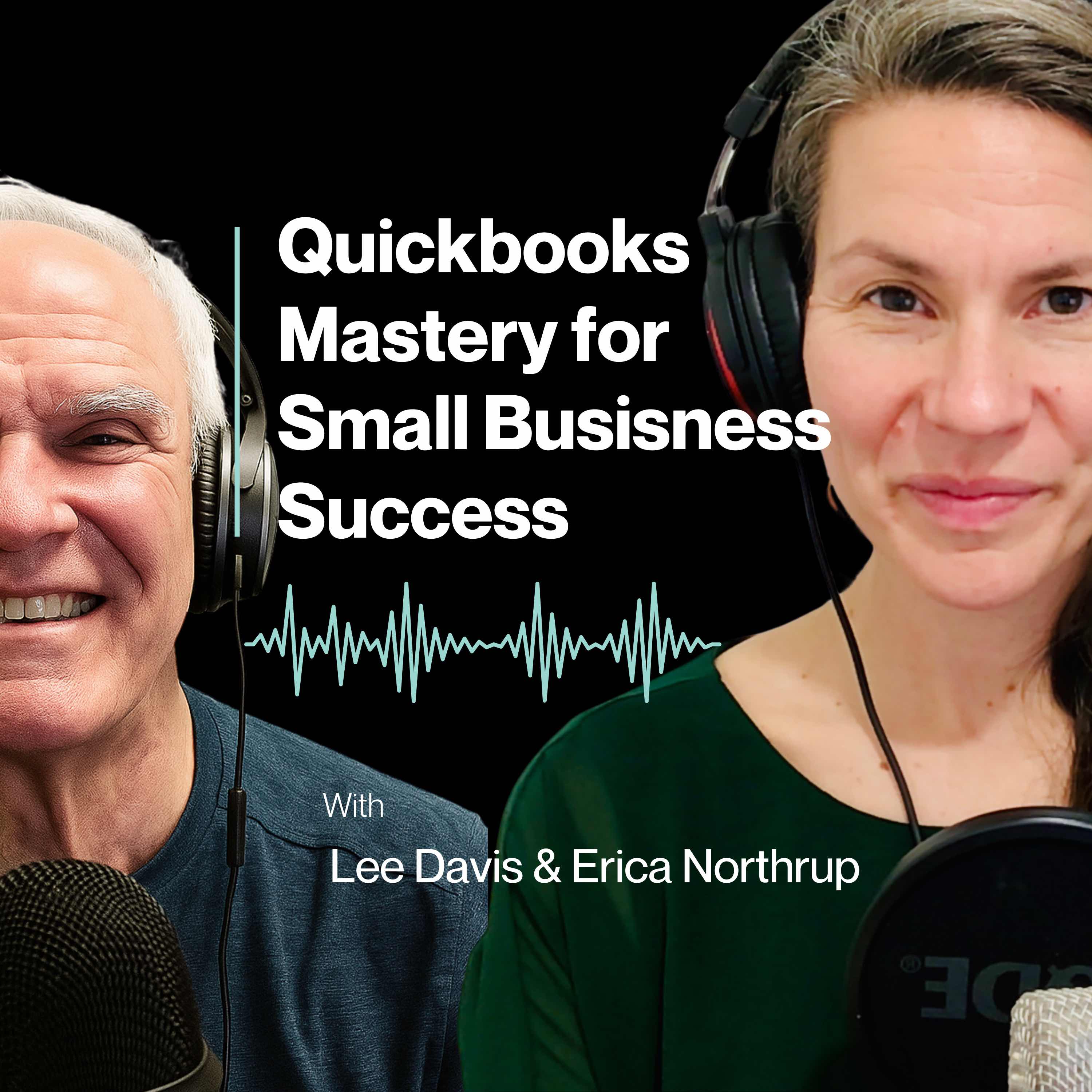
In this episode of QuickBooks Mastery for Small Business Success, father-daughter team Erica Northrup and Lee Davis wrap up their Accounting 101 series by showing how accounting foundations actually show up inside QuickBooks.
This conversation picks up where last week’s episode left off. Erica and Lee move from accounting terms like income, expenses, assets, liabilities, equity, accounts receivable, accounts payable, Profit & Loss, and Balance Sheet into the practical QuickBooks forms business owners use every day.
They explain why an invoice is not the same as receiving a payment, why a bill is not the same as paying a bill, why a credit card payment is not automatically an expense, and why owner draws, loan payments, sales tax, and payroll liabilities are often misunderstood.
The big idea of this episode is simple: QuickBooks forms tell the accounting story.
When the wrong form, account, or category is used, QuickBooks may still produce reports — but those reports may not be reliable. This episode helps business owners understand where mistakes happen, why they matter, and what to look at first if their QuickBooks file feels unclear.
Key Takeaways
- QuickBooks forms are not just data entry screens — they tell QuickBooks what kind of accounting event happened.
- Invoices, payments, bills, bill payments, expenses, checks, sales receipts, and journal entries all affect your books differently.
- A customer payment is not always new income if the invoice already recorded the sale.
- A bill payment is not a new expense if the bill was already entered.
- Credit card payments reduce a liability; they should not duplicate expenses.
- Loan payments often include both principal and interest, which affect different parts of the books.
- Owner draws are usually equity transactions, not regular business expenses.
- Sales tax collected is typically a liability, not income.
- QuickBooks reports may look official, but that does not mean they are accurate.
- Business owners should regularly review their Chart of Accounts, Profit & Loss, Balance Sheet, bank feed, and reconciliation reports.
Questions to Reflect On
- Are you using the correct QuickBooks forms for invoices, payments, bills, expenses, and checks?
- Do your reports look complete, but still feel difficult to trust?
- Are credit card payments, loan payments, owner draws, or deposits being categorized incorrectly?
- Does your Chart of Accounts clearly support your Profit & Loss and Balance Sheet?
- Are you matching transactions in the bank feed, or simply adding them without understanding where they belong?
Mentioned in This Episode
Free QuickBooks Clarity Scorecard
Download at: https://lee-davis-and-company.aweb.page/unlock-clarity-free-scorecard
Send Us Your Questions:
support@leedavisandcompany.com
Website:
leedavisandcompany.com
Timestamps
00:00 – Why this episode concludes the Accounting 101 series
01:53 – How QuickBooks forms connect to accounting terms
04:07 – Why receiving payments correctly matters
07:26 – Bills, accounts payable, and paying vendors
10:18 – Why paying a bill is not the same as writing a check
17:34 – Common QuickBooks mistakes with credit cards, loans, owner draws, deposits, and sales tax
25:42 – Why reports can look complete but still be wrong
29:30 – Practical places to check inside QuickBooks
33:21 – Final takeaway: accounting terms are built into QuickBooks
Call to Action
If you enjoyed this episode, subscribe to QuickBooks Mastery for Small Business Success and stay connected with us at leedavisandcompany.com.
If your QuickBooks reports feel confusing, unclear, or hard to trust, download our free QuickBooks Clarity Scorecard. It will help you identify where your QuickBooks file may be clean, unclear, or unreliable.
Have a QuickBooks question? Send it to support@leedavisandcompany.com — your question may be featured in a future episode.
Transcript
Welcome to QuickBooks mastery for small Business Success.
Speaker A:I'm Erica Northrup.
Speaker B:And I'm Lee Davis.
Speaker A:I handle the tech and he handles the numbers.
Speaker A:And together as a father daughter team, we bring decades of experience helping small to medium sized businesses thrive.
Speaker C:We know that as a business owner,.
Speaker B:Your time is best spent mastering your craft and growing your business, not getting lost in QuickBooks.
Speaker B:Managing finances can be confusing and you don't have hours to waste sorting through spreadsheets or fixing bookkeeping mistakes.
Speaker B:That's where we come in, helping you streamline QuickBooks so you can focus on building your business.
Speaker A:Each week we break it all down into simple, actionable steps so you can focus on growing your business, not fixing your books.
Speaker B:Let's embark on this journey together.
Speaker A:Welcome back to QuickBooks mastery for small Business Success Success.
Speaker A:I'm Erica Northrup, here with my papa, Lee Davis.
Speaker A:And this is episode 26, accounting 101 for business owners part three where the foundations show up in QuickBooks.
Speaker A:This episode is the conclusion of the conversation we started last week where we took the basic accounting terms every business owner needs to understand.
Speaker A:Income, expenses, assets, liabilities, equity, profit and loss, balance sheet, cash versus profit, and started connecting them to what actually happens inside of QuickBooks.
Speaker A:And originally this was just going to be one episode.
Speaker A:But once Pup and I got into the conversation, we realized there was just too much important information to squeeze it into one setting.
Speaker A:So instead of rushing through it, we decided to split it into two parts.
Speaker A:Last week, we focused on how these accounting terms show up in QuickBooks and why understanding them matters.
Speaker A:Before you start clicking around and entering transactions or trying to make sense of your reports, today we're picking up right where we left off.
Speaker A:And.
Speaker A:And this is where the conversation gets even more practical.
Speaker A:Because QuickBooks is not just asking you to choose categories, it's also asking you to choose forms.
Speaker A:Invoices, bills, checks, expenses, sales, receipts, payments.
Speaker A:And those forms matter.
Speaker A:They tell QuickBooks what kind of accounting event happened.
Speaker A:So if you've ever wondered, should this be a bill, a check or an expense, or why does it matter which form I use, this episode will help you understand how those choices affect your books, your reports and and your ability to trust your numbers.
Speaker A:So let's jump back into the conversation and this is probably where we should bring in the forms a little bit.
Speaker A:Because QuickBooks is not just asking you to pick categories, it also asks you to choose forms.
Speaker A:Invoices, bills, checks, expenses, sales, receipts, payments.
Speaker A:And those forms matter because they tell QuickBooks what kind of accounting event happened so, Papa, how do QuickBooks Forms connect to these accounting terms we've been talking about?
Speaker C:Basically, These forms are QuickBooks way of communicating how procedures or how accounting gets done in a layman's terms that you can use this form.
Speaker C:And as we've Talked about before, QuickBooks will help you make the other side of the entry.
Speaker C:So if you understand which form is correct, then I think, as we stated before, you're almost 70 to 80% there in the whole accounting procedure and processes.
Speaker A:Okay, well, let's talk a little bit specifically about invoices.
Speaker A:How do those show up?
Speaker C:They show up in mostly when you think about the sales cycle.
Speaker C:Okay.
Speaker C:Because invoices are customer driven and it's the lifeblood of the company and how you'll get paid.
Speaker C:So if you start at the beginning and you have your customers set up correctly with the email addresses and their addresses and terms of payment on what you expect from your client.
Speaker C:And if you've given some thought about some automated payment processing, it's going to make that invoice exactly the tool that your client wants and they'll pay it.
Speaker C:And so for you as a business owner, you want to make it extremely efficient.
Speaker C:And some of my clients will use apps that help them prepare to produce an invoice.
Speaker C:All right, so there are lots of tools.
Speaker C:If you take some time, and maybe we've talked about this before, start at the beginning and diagram the process which would include an invoice.
Speaker A:Where does that fall in your workflow?
Speaker C:How do you make sure that you've captured everything on that invoice?
Speaker C:And but for the customer, we want to make it easy for the customer to pay.
Speaker A:That's crucial.
Speaker C:Absolutely crucial.
Speaker C:And we want to get paid as quickly as possible.
Speaker A:Absolutely.
Speaker C:So I think invoice becomes a great tool for your whole revenue cycle.
Speaker A:Yeah, yeah, absolutely.
Speaker A:Absolutely.
Speaker A:Okay, so let's talk now.
Speaker A:Receiving payments.
Speaker A:So we've kind of talked about invoices and how those connect specifically into QuickBooks.
Speaker A:But let's talk about receiving payment.
Speaker A:So where does that show up in QuickBooks?
Speaker A:How does that fit into the puzzle?
Speaker C:If a client, if they pay you by check.
Speaker C:Okay, let's say that they're not using an automated payment method because if they did, it would show up automatically for you.
Speaker C:But if they send you a check, you need to go ahead and receive payment because that will mark that invoice as paid and it will reduce your accounts receivable and it moves the money into what we call undeposited funds, and then you're able when you're ready to make that deposit, it's one more click.
Speaker C:So it lists all of your payments, and that will equal what your deposit should be for that given day.
Speaker C:It's a little bit like the bank bag, if you will, that we used to use.
Speaker C:Maybe some of us still do that.
Speaker C:Bring.
Speaker C:We bring our checks because we don't want to lose checks.
Speaker C:So we put them in the bank bag, and the bank bag equals the deposit.
Speaker C:So when you think in those terms, receiving payment is exactly a key to that process.
Speaker C:And what has happened in the past where my clients have fell into a ditch, is that they've jumped right over, receive payment and make a deposit.
Speaker C:Oh, okay.
Speaker C:So, okay, when you jump over things, as we've said before, you've got a bunch of holes.
Speaker C:If you plug all the holes, you're good.
Speaker A:Absolutely.
Speaker C:And so I think the receipt payment is an area where some people have thought, oh, I don't need to receive payment.
Speaker C:I can just go right to make a deposit.
Speaker C:And keep in mind, you're on.
Speaker C:If you're on accrual basis, which you should be, you need to consider that the receipt payment is the key element to that.
Speaker A:Absolutely.
Speaker A:Okay, let's talk about the sales receipt.
Speaker C:Now, sales receipt is such a great tool for companies that have a storefront, if you will, because no matter even if they have a separate application of software, oftentimes QuickBooks will create that sales receipt as part of the app, and that sales receipt can get downloaded into QuickBooks.
Speaker C:And so the sales receipt, whether you use an app or you simply have some receipts for the day that you turn into a sales receipt in QuickBooks, it will record your income and your payment together.
Speaker C:Okay, one stop.
Speaker C:The sales receipt is because you can add.
Speaker C:If you have multiple sales receipts, it will allow you to put them if you want, you can put them in undeposited funds, or you can put it right into the bank.
Speaker C:It creates one deposit for you.
Speaker C:So you decide.
Speaker C:The nice thing about QuickBooks is it's flexible.
Speaker C:If you understand how to use the form, that becomes key.
Speaker C:So a sales receipt is oftentimes used for immediate payments.
Speaker C:You can have a mixture of credit card payments, and cash can be a mixture of payment types.
Speaker C:So a sales receipt is a great tool for all kinds of businesses.
Speaker A:Okay, so now let's move on to bills.
Speaker A:So where does the bill show up?
Speaker A:When you think about inside of QuickBooks, inside of that container, the bill, as.
Speaker C:We've said, it's what you owe.
Speaker C:So if your bills come through email or if they come through snail mail.
Speaker C:However, your bills come.
Speaker C:QuickBooks has been beta testing how to take some bills that get sealed, scanned in and can be downloaded in a bill.
Speaker C:So I think that's something in the future for sure.
Speaker C:But the bill piece is you really want to have some checks and balances on your bills.
Speaker C:If you're busy retail business and you use purchase orders that you want to start there and know that when you put that purchase order in and it gets accepted and your product is chip that you know that you have received all the items on that purchase order.
Speaker C:And if you haven't, it's a good place to stop right there and update what should be on the bill.
Speaker C:So the purchase order, you can create a bill from that purchase order.
Speaker C:So there are lots of tools to help you make sure that you're not paying a bill that you didn't receive the product for.
Speaker C:And using the purchase order is certainly a helpful tool there and it will allow you you to then once you put that bill in, it automatically creates an accounts payable and it goes to the vendor file.
Speaker C:So I can't tell you the number of times I've gone in to look at a vendor file.
Speaker C:And sometimes I just had a case just this week that I use to pay a bill.
Speaker C:You can use the direct deposit feature in QuickBooks to pay a bill.
Speaker C:So if somebody gives you their ACH information, their routing number and their account number, instead of producing a check, you can pay them the same day and they'll have it the next day.
Speaker C:Turns out this particular vendor, he closed his bank account that I had paid him under.
Speaker C:So I was able to go in and make some adjustments to that bill, put it back in, get his new vendor information and get a payment right out to him.
Speaker C:And that made him extremely happy, made my client very happy, because I took care of something that could have been a bit of a mess.
Speaker A:Absolutely.
Speaker C:And so again, the bill feature and the pay bills, I think we'll jump into a minute.
Speaker C:But the nice thing about the bill feature is you can connect to expense or asset depending on what is purchased, and it will show up on the profit loss as an expense expense.
Speaker C:The balance sheet, if it creates or increases an asset, or certainly through the balance sheet as accounts payable, those are all critical elements to the bill.
Speaker A:Love that.
Speaker A:Okay, so what about pay bills?
Speaker A:Where do we see that show up inside of QuickBooks specifically?
Speaker C:I think what happens in pay bills is people have to understand if you've entered a bill, you must pay a bill.
Speaker C:You cannot write a Check.
Speaker C:Okay.
Speaker C:Those are two different forms.
Speaker C:And I see that all the time because people have, again, I think people think it's the right thing to do.
Speaker C:Oh, I'm just going to write a check, get a checkbook.
Speaker C:But that says write a check.
Speaker C:So they again jump over a step.
Speaker C:If you put a bill in, you have to pay a bill.
Speaker C:And the other good thing about really paying bills, when you think about it, is that it's a lot of my clients, especially those kind of in the old school.
Speaker C:And there's nothing wrong with old school.
Speaker C:They still like to print.
Speaker C:Check.
Speaker A:Yeah, absolutely.
Speaker C:Okay.
Speaker C:So you pay a bill and you just have to be careful because QuickBooks has a very specific way that you should load your checks in so it lines up the check number with the correct bill.
Speaker C:So that becomes critical when you're starting to reconcile your accounts.
Speaker C:But certainly paying bills could both be by checks and by ACH eft, but it does reduce accounts payable and it's not a new expense if the bill's already been recorded at the cost.
Speaker C:So you don't put the expense in if you've already got your bill in.
Speaker C:So because that would create duplicate expenses.
Speaker C:So again, pay bills is a great feature and it allows you to manage your accounts payable.
Speaker C:People need all kinds of credit today, and accounts payable is one of the greatest ways for companies to do business.
Speaker A:Okay, so good.
Speaker A:So moving on to expense or check.
Speaker A:So this is where the check feature comes in.
Speaker A:So how does this connect to QuickBooks and where do we see this show up?
Speaker C:Expense is really an important form and primarily used for credit cards.
Speaker C:So keep in mind, whenever you use the expense form, for the most part, we're talking about credit card expense expenses.
Speaker C:Now, of course, you can use an expense form for something like an ach, if you will, if it comes through your bank feed and you've decided you, you want to just look at your bank feed and.
Speaker C:But if you want to have the matching component to your bank feed, you may want to put in a check.
Speaker C:Or you certainly could try and keep the expense form.
Speaker C:Primarily for credit cards, use the check form for a debit card, an ACH, or an eft.
Speaker C:So understanding that particular process will help you and it can affect an expense account.
Speaker C:And what sometimes you gotta remember is that in the given form that you use, QuickBooks will remember the transaction from the previous event if you had it for the same vendor.
Speaker C:So using the same form will allow QuickBooks to fill in that information for, for you.
Speaker C:And again, time saving anything that you can do to see how to complete that form the way you did it the last time.
Speaker C:Well, maybe you want to make a change to it this time, but at least how you used that particular form, whether it be an expense or a check, and it will go to the correct expense account, the asset account, the liability equity, depending on what the transaction actually is.
Speaker A:Okay, that sounds good.
Speaker A:Now, moving on to journal entry.
Speaker A:Let's break this one specifically down.
Speaker A:And how does this show up inside of QuickBooks?
Speaker C:Well, the Journal entry form is used in several ways through the normal business operation.
Speaker C:Let's say you purchase a new vehicle, you're going to want to make a journal entry debiting the particular asset account, meaning the vehicle.
Speaker C:And you're going to want to credit the liability accounts.
Speaker C:So in some cases, you want to look at the accounts you already have and accounts you might need to set up, like a new liability account for a loan.
Speaker C:And you're going to use the journal entry.
Speaker C:And the beauty of it is you can scan like in so many of the forms in QuickBooks, you can scan that document in and it's where it's housed.
Speaker C:You don't have to keep that document in a separate file.
Speaker C:And so you can use the journal entry to tie back for those individual transactions.
Speaker C:But the idea of a journal entry is you must have a debit and you must have a credit.
Speaker C:You must have a right and left side of the equation, and they have to equal.
Speaker C:So journal entries, if they don't equal, it won't post.
Speaker C:And so using the right accounts and making sure the amounts add up, I think are on an ongoing, normal business operation works.
Speaker C:And at the end of the year, when you make your accounting adjustments, your tax preparer may send you a list of journal entries that they want done.
Speaker C:And so they are broken down usually by assets, liabilities, capital income and expense.
Speaker C:So if they're adjusting any type of work, it's usually done through the journal entry.
Speaker C:And it's oftentimes best understood by people who handle accounting.
Speaker C:And your accountant will perhaps give you some account numbers and they'll lay out the entries for you.
Speaker C:So if you got a good accountant like that, then hold on to them for her.
Speaker A:They're gold.
Speaker A:They're.
Speaker C:They're gold.
Speaker A:That's awesome.
Speaker A:That's so good.
Speaker A:I guess this is exactly why forms matter, as we took a kind of deeper dive in each of those specific sort of topics and we gave nuance to.
Speaker A:And go back.
Speaker A:If you have not listened to our episode on Forms Go Back.
Speaker A:Cause that is a True.
Speaker A:Deep dive around all the different forms that are out there and why they're important and what each does and the difference between each of them.
Speaker A:So that is gold in itself.
Speaker A:So, yeah.
Speaker A:So an invoice increase is not just money coming in.
Speaker A:It means a customer owes you something.
Speaker A:A payment is not new income.
Speaker A:It means the customer paid what they owed.
Speaker A:A bill is not the same as a bill payment, people.
Speaker A:Right.
Speaker A:So the bill records what you owe, the payment reduces what you owe.
Speaker A:And that is why choosing the wrong form can make QuickBooks confusing very quickly.
Speaker A:And I think this is what we see show up in our business time and time again.
Speaker A:And this is why, helping you to understand these fundamentals, it's so, so important because the form is telling QuickBooks the accounting story.
Speaker A:So that is huge.
Speaker A:Absolutely huge.
Speaker A:So this is where we can bring it back to real life examples, because we all love that, right?
Speaker A:We all learn by examples.
Speaker A:We all learn by analogies.
Speaker A:And really connecting these terms and these, these aspects of accounting that are so foreign to us, this is where we really can ground it and really connect it to something that we can actually sink our teeth into.
Speaker A:Because a business owner may not be thinking, is this an asset?
Speaker A:Is this a liability or equity?
Speaker A:They're think thinking, I bought something or I paid something or money came out of my account.
Speaker A:So, Papa, can you walk us through a few common examples where business owners often choose the wrong accounting treatment?
Speaker A:Inside of QuickBooks can tell you about.
Speaker C:A client who used Excel and for his billing.
Speaker C:Yeah, and to be honest, Excel is not billing software software.
Speaker C:It's analytical in nature.
Speaker C:Right.
Speaker C:And does spreadsheets and does major calculations, but it's not billing software.
Speaker C:And so when I think about what we did for this particular client, we made money for him instantly by helping him track his invoices when they went out.
Speaker C:He could see that they got reviewed and he could see exactly what a customer owed him without having to look at an Excel spreadsheet.
Speaker C:And so it's simply not sustainable for a business to use Excel looking at when your credit card payments, I think understanding if you use the expense form, when you enter that credit card, it goes to that particular credit card liability.
Speaker C:And while you may think it's an expense, and expenses happen when the credit card was used.
Speaker C:So it's important people keep a handle on their credit card so they know it creates a liability.
Speaker C:When you make a credit card payment, it reduces that liability, and yet it categorizes all the expenses.
Speaker C:And so just to make sure that you're not Duplicating your expenses.
Speaker C:When you reconcile that credit card, it.
Speaker C:It's really a validation, if you will, that that card is correct.
Speaker C:And yes, it may be based on how you categorize the expenses.
Speaker C:Maybe a question there, but the point is you got the expenses in and you can look at them another way if you so chose to.
Speaker C:But here you know that the credit card balance equals a liability and the payment reduces the liability.
Speaker A:Pretty simple.
Speaker C:Money in, money out, goes back to the chart of accounts.
Speaker A:Yeah.
Speaker C:I think another example is kind of loan payments.
Speaker C:People don't necessarily understand.
Speaker C:And sometimes these days, when you take out a loan, you're going to pay interest when the payment doesn't all go toward principal.
Speaker C:And sometimes these banks or these credit lending companies, they don't tell you when they send you the statement was principal and interest.
Speaker C:Sometimes you have to rely on an annual statement to do when they issue you a form at the end of the year.
Speaker A:Yep.
Speaker C:And so just understanding that you need to be able to deduct that interest, that's an expense.
Speaker C:And you need to know that you can't deduct the whole payment as an expense.
Speaker C:All right.
Speaker A:Yeah.
Speaker C:Because you're paying down the principal on the loan.
Speaker C:So understanding that the principal reduces the loan liability.
Speaker C:And when you look at the principal payment, it's both interesting and principal together make up that total payment.
Speaker C:Just understanding that you can lose a lot of money if you don't account for your loan payments correctly.
Speaker A:Okay, good to know.
Speaker C:I think equipment purchases, I think it's important to know what's deductible as an expense.
Speaker C:Yep.
Speaker C:And then what should you consider in terms of large equipment purchases?
Speaker C:And business owners buy equipment and basically, if it's below $2,500, it can be expensed.
Speaker C:Some purchases will need to be recorded as capital assets and they can affect tax, accounting and reporting.
Speaker C:Because clearly, if you have some tax planning and you do it before the end of the year, you can deduct the whole purchase of that asset under certain depreciation rules.
Speaker C:The connection is equipment may be a fixed asset and would certainly not be an expense if it's over a certain dollar amount.
Speaker A:Absolutely.
Speaker C:And I think the next category is how you handle owner draw.
Speaker C:Lots of time people will say, how do I get paid?
Speaker A:Right.
Speaker A:And that's important.
Speaker C:It obviously matters.
Speaker C:You need to get paid.
Speaker C:You started your business.
Speaker C:Right.
Speaker C:And you made some profit.
Speaker C:And where's my payment?
Speaker C:If you're an llc, single member llc, then you're going to need to receive a draw.
Speaker C:You're not an expense, you're not wages.
Speaker C:Okay, You're a draw.
Speaker C:And it's the way your tax situation is, right?
Speaker C:How you're going to take that as profit and have to pay on it as profit.
Speaker C:So the draw is simply that it's the way the owner takes money out of a business.
Speaker C:Now if you're a corporation, then you can take money out of your business through wages and you might feel that's a better tax advantage to you.
Speaker C:That's between you and your accountant.
Speaker C:You would decide that you would set up your business or make a change to the way your business currently is set up.
Speaker C:But understanding that when you use the owner draw, it is an equity type of transaction.
Speaker C:It's not a regular business expense.
Speaker C:And it's different when you think about a category for payroll or subcontractors or miscellaneous expense.
Speaker C:And again, the QuickBooks connection is owner draw equals equity account, not a profit, loss or expense.
Speaker C:The next example is really a business owner seeds deposits in a bank fee and instead of understanding that they need to have a received payment, they jump right to the deposit and they bypass the fact that they have to record that payment against an invoice and they don't have good tracking of their accounts receivable.
Speaker C:And of course the deposit moves money right into the bank.
Speaker C:I mean that's very efficient.
Speaker A:Super efficient.
Speaker C:Very wrong.
Speaker C:And the other example is sales taxes.
Speaker C:So it's important to keep track of sales tax liability.
Speaker C:And QuickBooks will help you track that.
Speaker A:Yep.
Speaker C:Is sales tax may feel like income, but it's not.
Speaker C:It's collected on behalf of the government.
Speaker C:Your customer paid that and that becomes a liability, not a regular business expense and certainly not income.
Speaker A:It's not yours.
Speaker C:It's.
Speaker C:You've taken it from your customer and it gets paid out because it becomes a liability.
Speaker C:So the bank feed will tell you that all payroll items are expenses, when indeed they are payroll liabilities.
Speaker C:Knowing that people lots of times who really use payroll, sometimes third party companies like Paychex or adp, they'll have to enter their payroll manually for some expense.
Speaker C:Makes sense, but it doesn't all get recorded as expense.
Speaker C:And I've seen that multiple times.
Speaker A:Gotcha.
Speaker A:That is so good.
Speaker A:These examples are so practical because they show why the foundation matters.
Speaker A:Peppa.
Speaker A:I think that is huge for people.
Speaker A:So if you understand liabilities, you can understand why a credit card payment is not automatically an expensive expense.
Speaker A:And if you understand equity, you can understand why an owner draw is not just payroll.
Speaker A:If you understand assets, you can understand why Equipment may not belong in office supplies.
Speaker A:And if you understand accounts receivable, you can understand why a customer payment is not always new income.
Speaker A:That is the connection we want you guys to make.
Speaker A:We want you to understand the accounting terms are not just textbook terms.
Speaker A:They're not just something for you to just like to sit about, learn and forget.
Speaker A:It's important to be able to connect these terms with real life scenarios.
Speaker A:So they are the reason QuickBooks behaves the way it does.
Speaker A:I think this brings us back to why so many business owners have reports but still don't trust them.
Speaker A:Because the reports are only as reliable as the way these terms and forms were applied.
Speaker A:So people, why does misunderstanding these accounting terms inside of QuickBooks lead to reports that may look complete but still be wrong?
Speaker C:I think you can use a practical example.
Speaker C:You've been working on your range hood, right?
Speaker A:Oh yes.
Speaker A:Story going on there, but yes.
Speaker C:And your range hood took several pieces to be put together properly.
Speaker A:Oh yeah.
Speaker A:Oh absolutely.
Speaker C:And if they didn't get put together properly, then the range hood wouldn't do its job.
Speaker A:Yeah, or it wouldn't.
Speaker C:Yesterday I brought my car to my mechanic and he put my headlamp in.
Speaker C:I had a headlamp in the replace.
Speaker C:He put it in upside down.
Speaker C:So therefore it had to be taken out and put in correctly.
Speaker C:So you have to understand that using the correct forms and putting the right information that it tells the correct story.
Speaker C:Because there are several, for example, apps that are used inside of QuickBooks and outside that come in that have to integrate and you have to make sure you understand what that integration, how it works and where it goes.
Speaker A:Yeah, absolutely.
Speaker C:If you don't understand how it all gets put together and it's checking all the boxes, then you're going to have some holes, you're going to have some accounts that are not accurate.
Speaker A:That is so true.
Speaker A:I guess this is why business owners need to understand the accounting foundations inside of QuickBooks.
Speaker A:Because if you don't, then you're going to have a bunch of holes in your QuickBooks and then your QuickBooks isn't working the way that it should work.
Speaker C:That's correct.
Speaker A:Yeah.
Speaker A:I guess that is just so important.
Speaker A:The report may look official, but that doesn't mean it's reliable.
Speaker A:It's important.
Speaker A:Right.
Speaker A:It may look like it's okay, but at the end of the day, if it's not right, it's not going to be reliable.
Speaker C:You may have reconciled your accounts, but they're wrong.
Speaker C:The reports are wrong because you've got a Lot of unreconciled items sitting there that require attention.
Speaker A:Absolutely.
Speaker A:And I suppose QuickBooks can produce a profit and loss no matter what, Right?
Speaker A:You can spit anything at it and it will spit back something.
Speaker A:But again, at the end of the day, is it correct?
Speaker A:Is it actually showing you what's going on in your business?
Speaker A:It can produce a balance sheet no matter what, but if the information underneath is wrong, the report is not giving you the truth.
Speaker A:And how can you make decisions about your business based on faulty information?
Speaker C:So I think, yeah, I think that.
Speaker C:And lots of times you don't want somebody else to uncover that for you.
Speaker C:No.
Speaker A:Oh, absolutely not.
Speaker C:You don't want your banker, you don't want the end user, whoever has it, to say, huh?
Speaker C:So this is quite not right because you want to have be responsible for good record keeping and good usable data.
Speaker A:Absolutely.
Speaker A:And I guess this is why this conversation mattered so much.
Speaker A:Because the end of the day, I think this is something we come back to time and time again.
Speaker A:If things are just a mess in your QuickBooks, you can't make the decisions that you need to make to be able to grow your business.
Speaker A:Because at the end of the day, that's partly what QuickBooks is about.
Speaker A:You having a handle on your numbers, you having a handle on what actually happening in your business.
Speaker A:So you as a business owner, as a CEO that is leading this ship, can make confident decisions about your business.
Speaker A:That's just something that's so important.
Speaker A:Okay, so, Papa, let's land this in a really practical place, because I think that's important for people to have all these terms and understand where they fit inside of QuickBooks, but then bring it back for them, bring it back to what really matters.
Speaker A:So if someone is listening and they're starting to understand how these accounting terms show up inside of QuickBooks, what should they actually look at?
Speaker A:What are a few places a business owner can check in QuickBooks to see where these foundations are being applied correctly?
Speaker C:Everything winds up and ends in the bank reconciliation.
Speaker C:So a lot of things show up there.
Speaker A:Yeah.
Speaker C:So just understanding.
Speaker C:Print your reports, print your bank reconciliation report.
Speaker C:That's quite often what I will look at.
Speaker C:And I will also look at some transactions that are.
Speaker C:When I look at the balance sheet, they're in the wrong column.
Speaker C:And so sometimes the chart of accounts was not set up correctly in terms of the type of account.
Speaker C:And the other thing I'll oftentimes see is that there could be a lot of expenses or income that are uncategorized.
Speaker C:And so I look at those three areas.
Speaker C:And I can pretty much tell you that 80% of that is there.
Speaker C:And look at.
Speaker C:Quickly go through and look at the processes of really, if their income is way out of whack, than I know that they've used the bank fee and they haven't adjusted their accounts receivable.
Speaker C:All right, so you can see those.
Speaker C:Because people will do the same type of transactions repetitively by the time I get them.
Speaker C:And one thing I really appreciate about a couple of clients we've been working with lately, Erica, is they know that they want to get it right from the beginning.
Speaker C:And it could be a small business that.
Speaker C:And they're just starting out.
Speaker C:And maybe it's an experience expense they didn't really want to incur to have somebody help them.
Speaker C:It's money well spent.
Speaker C:Oh.
Speaker C:And it gives them peace of mind.
Speaker C:And they know they can go forward and do a good job in their bookkeeping.
Speaker A:But if you set things up the right way, it saves you so much time, money headaches.
Speaker A:You're leaving money on the table when you don't set up things correctly.
Speaker A:There's just so much that comes down from actually having things set up correctly.
Speaker A:So it's huge.
Speaker A:We're actually turning this renovation that we did into an Airbnb.
Speaker A:And that's what I'm learning about setting this up.
Speaker A:I want to set it up the right way the first time instead of setting it up, whatever.
Speaker A:Which way I feel like is good, but then launching it, but then missing weeks and weeks of bookings because I didn't take those couple extra steps or spend whatever money I needed to spend in order to actually set it up the proper way.
Speaker A:So, absolutely.
Speaker A:I feel like that is huge.
Speaker A:Those are so good.
Speaker A:So that I feel gives people a really helpful starting point.
Speaker A:People start there, start to look at those things, and I love that this is not about making them go fix everything all at once.
Speaker A:And that is not what we're about.
Speaker A:I really feel strongly that it's about finding the three biggest rocks in your business.
Speaker A:If you fix these things, if you started here, it's going to trickle down and affect so much downstream.
Speaker A:And it's about helping you start to look at QuickBooks differently.
Speaker A:That's what we're doing here.
Speaker A:We want you to have a better handle on QuickBooks.
Speaker A:Understand it.
Speaker A:Understand.
Speaker A:What are these accounting terms so that you're just not confused when you see any of these terms and understand.
Speaker A:Okay, I get it.
Speaker A:It actually clicks.
Speaker A:Not just do I need to enter that transaction, but where did it Go.
Speaker A:What type of account did it hit?
Speaker A:Did it affect the profit and loss or the balance sheet?
Speaker A:Was it income, expense, asset, liability or equity?
Speaker A:And does that make sense based on what actually happened?
Speaker A:I think this is all ways that we can start to look at QuickBooks and the questions that we can ask ourselves to really understand it better.
Speaker A:This is a much better way to start thinking about QuickBooks and it's going to help you exponentially.
Speaker A:If you take one thing away from the last couple episodes that we've done, let it be this.
Speaker A:So the accounting terms we talked about from two weeks ago are not separate from QuickBooks QuickBooks.
Speaker A:They are built into QuickBooks.
Speaker A:Income expenses, assets, liabilities and equity are not just definitions.
Speaker A:They show up in your chart of accounts.
Speaker A:They determine what lands on your profit and loss.
Speaker A:They determine what lands on your balance sheet.
Speaker A:They affect whether your reports are clear, confusing or completely misleading.
Speaker A:And that is why the foundation matters, you guys.
Speaker A:Because when you understand what these terms mean, you can start to understand what QuickBooks is asking you to do.
Speaker A:You can see why an invoice is not the same as a payment, why a bill is not the same as a bill payment, why a credit card payment is not always an expense, why a loan payment may affect both a liability and an expense, why an owner draw should not reduce your business profit.
Speaker A:And once that starts to click, QuickBooks stops feeling like random data entry and starts feeling more like a system.
Speaker A:That does not mean you have to become an accountant.
Speaker A:That is not what we are advocating for.
Speaker A:Whatever.
Speaker A:But it does mean you can start asking better questions, catching problems earlier, making better decisions from your numbers.
Speaker A:And if you want a simple way to start identifying where your own QuickBooks file may be unclear, we have a free tool, you guys.
Speaker A:If you have not downloaded this yet, run, don't walk.
Speaker A:It's called the QuickBooks Clarity Scorecard.
Speaker A:It will walk you through a few simple questions and help you see where your QuickBooks file may be clear, unclear or unreliable.
Speaker A:And you can find that link in our show notes or at our website@leedavis and company.com and next week we're going to keep building on this by asking about how QuickBooks turns everyday transactions into financial reports.
Speaker A:Because once you understand the accounting foundations and where it shows up inside of QuickBooks, the next step is understanding how those transactions turn into the reports you use to make decisions.
Speaker A:Papa, this was so good and I think such a wealth of information last two weeks I feel have been huge to really connect the accounting terms that we learned into the practical aspect of the QuickBooks that was so good.
Speaker C:I think what's amazing to me, Erica, is to watch you become a QuickBooks expert.
Speaker A:Thank you.
Speaker A:I think I'm getting there, which is crazy to me.
Speaker A:It's no longer just marketing or the tech girl really starting to understand QuickBooks on the level.
Speaker A:I've never understood QuickBooks and you're able.
Speaker C:To put it in terms that people can understand.
Speaker C:I think that's what the beauty of this podcast is.
Speaker C:It's a great tool.
Speaker A:Yeah, it really is.
Speaker A:It truly has been.
Speaker A:So you guys, thank you for listening to QuickBooks mastery for small Business Success.
Speaker A:We'll see you next week.
Speaker A:Bye for now.
Speaker A:Thanks for tuning in to QuickBooks mastery for small Business Success.
Speaker B:If you enjoyed this episode, hit subscribe and stay connected with us@leedaviscompany.com we know.
Speaker A:QuickBooks can be overwhelming, so we've put together a free resource to help you get started right away.
Speaker A:Grab your copy at leedavis and company.com and when you do, you'll also get access to our VIP email list where we share exclusive QuickBooks tips, business strategies,.
Speaker B:And support, and we'd love to hear from you.
Speaker B:If you have a QuickBooks question or a business challenge, send it our way@supporteadavidsoncompany.com we might feature it in a future episode.
Speaker A:We're here to help you simplify QuickBooks and grow your business one step at a time.
Speaker A:See you next time.