Episode 31
Episode 31: The Small Business Tools We Use Behind the Scenes
Episode 31: The Small Business Tools We Use Behind the Scenes
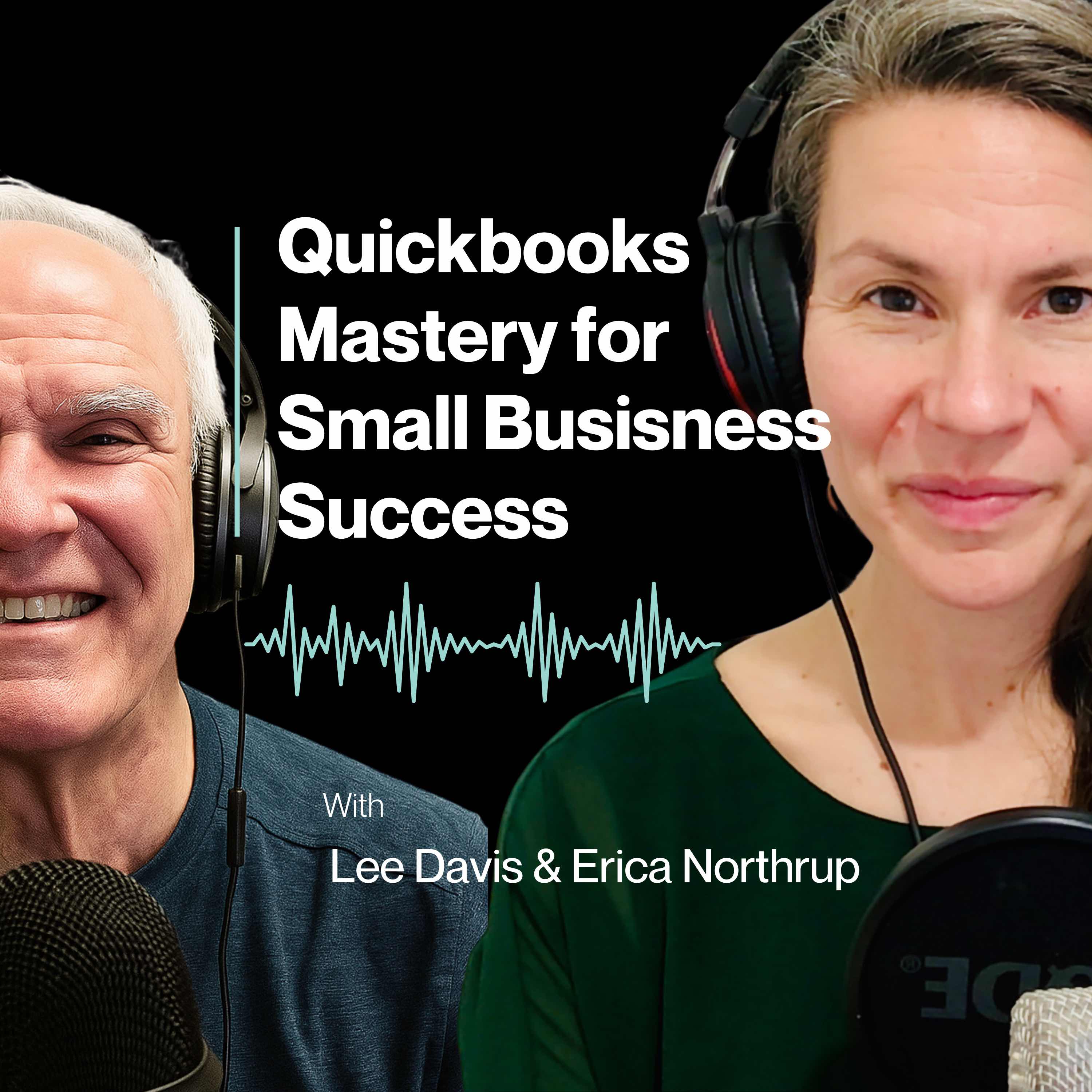
In this episode of QuickBooks Mastery for Small Business Success, Erica Northrup pulls back the curtain on the small business tools Lee Davis & Company uses behind the scenes to stay organized, communicate with clients, manage projects, produce the podcast, and support better QuickBooks workflows.
With Lee away on a much-needed vacation, Erica hosts this solo episode and shares what it really looks like to wear many hats in a small business. From marketing and client communication to podcasting, document collection, scheduling, and follow-up, small business owners are often juggling far more than one role. The right tools can help make that workload more manageable.
This conversation is not about adding apps just for the sake of adding apps. It is about using tools to support better systems. Erica walks through the platforms that help Lee Davis & Company build trust, reduce manual follow-up, organize client information, communicate consistently, and create a smoother experience for both the business and its clients.
Listeners will hear practical examples of how tools like NiceJob, Canva, WordPress, Google Drive, Google Workspace, ClickUp, Calendly, Zoom, AWeber, QuickBooks Online, Descript, Logic Pro, and Captivate support the bigger picture of running a small business with more clarity and less chaos.
Key Takeaways
- Small business owners should not have to rely on memory to manage every task, follow-up, document, and deadline.
- The right business tools help support systems for reviews, marketing, client communication, project management, scheduling, and QuickBooks workflows.
- NiceJob helps make Google review requests part of the process instead of an occasional afterthought.
- Canva, WordPress, and Google Workspace help create a more polished, organized, and consistent client experience.
- ClickUp, Calendly, Zoom, and AWeber reduce friction by helping teams track tasks, schedule calls, communicate with clients, and automate follow-up.
- QuickBooks Online is only as powerful as the system behind it. A tool alone does not create clarity unless it is used well.
- Podcasting tools like Descript, Logic Pro, and Captivate help turn one episode into a complete content system.
- The best tools are not always the fanciest ones. They are the tools that help you do the right things more consistently.
Questions to Reflect On
- Where are you still relying on memory instead of a repeatable business system?
- Where are clients getting stuck, confused, or waiting on you to manually follow up?
- What recurring task could be automated, templated, scheduled, or organized in a better way?
- Which tools are actually supporting your workflow, and which ones are just adding noise?
- Is your QuickBooks workflow giving you clarity, or is it creating more stress?
Mentioned in This Episode
Free QuickBooks Clarity Scorecard:
https://lee-davis-and-company.aweb.page/unlock-clarity-free-scorecard
Send Us Your Questions:
support@leedavisandcompany.com
Lee Davis & Company:
https://leedavisandcompany.com
NiceJob - Google review and reputation marketing tool:
https://try.nicejob.com/uubp53xam3ss
Canva - design, branded graphics, podcast images, social posts, lead magnets, and PDFs:
https://www.canva.com/
WordPress - website and content management:
https://wordpress.org/
https://wordpress.com/
Google Drive - client document storage and file organization:
https://workspace.google.com/products/drive/
Google Workspace - Gmail, Drive, Calendar, Meet, Docs, Sheets, Forms, and business collaboration:
https://workspace.google.com/
ClickUp - project management and task tracking:
https://clickup.com/
Calendly - scheduling and appointment booking:
https://calendly.com/
Zoom - video calls, screen sharing, recordings, transcripts, and AI meeting summaries:
https://www.zoom.com/
AWeber - email marketing, podcast emails, audience communication, and automation:
https://www.aweber.com/easy-email.htm?id=561715
QuickBooks Online - cloud accounting software for small business finances:
https://quickbooks.intuit.com/online/
Descript - podcast editing, transcription, clips, and repurposing:
https://www.descript.com/
Logic Pro - audio editing and production:
https://www.apple.com/logic-pro/
Captivate - podcast hosting and distribution:
https://www.captivate.fm/signup?ref=mthmmwy
Recommended Resources
- Start with the QuickBooks Clarity Scorecard if you want to understand whether your QuickBooks setup is giving you the financial insight you need.
- Use the active referral links for NiceJob, AWeber, and Captivate in the show notes if those tools would help you build stronger review, email, or podcast systems.
- Pick one area of your business that feels clunky and ask whether you need a better system, not necessarily a more complicated tool.
Timestamps
00:00 - QuickBooks Mastery podcast intro
01:50 - Why this solo episode is focused on small business tools and systems
06:33 - NiceJob for Google reviews, reputation marketing, and online trust
11:31 - Canva for small business branding, podcast graphics, and marketing content
16:18 - WordPress websites and Google Workspace for client documents and organization
20:17 - ClickUp for project management, activity tracking, and reducing mental clutter
23:42 - Calendly and Zoom for scheduling, screen shares, client support, and course content
28:20 - AWeber email marketing automation and QuickBooks Online financial workflows
32:43 - Descript, Logic Pro, and Captivate for podcast editing, production, hosting, and promotion
37:08 - The big lesson: tools support systems, but the system is what matters
Call to Action
If you enjoyed this episode, subscribe to QuickBooks Mastery for Small Business Success and share it with another small business owner who is juggling too many tasks manually.
Download the free QuickBooks Clarity Scorecard to see whether your QuickBooks setup is giving you the financial insight you need:
https://lee-davis-and-company.aweb.page/unlock-clarity-free-scorecard
Have a QuickBooks question or a business challenge you want us to cover? Send it to support@leedavisandcompany.com. Your question may be featured in a future episode.
Transcript
Welcome to QuickBooks mastery for small Business Success.
Speaker A:I'm Erica Northrup.
Speaker B:And I'm Lee Davis.
Speaker A:I handle the tech and he handles the numbers.
Speaker A:And together as a father daughter team, we bring decades of experience helping small to medium sized businesses thrive.
Speaker B:We know that as a business owner, your time is best spent mastering your craft and growing your business, not getting lost in QuickBooks.
Speaker B:Managing finances can be confusing and you don't have hours to waste sorting through spreadsheets or fixing bookkeeping mistakes.
Speaker B:That's where we come in, helping you streamline QuickBooks so you can focus on building your business.
Speaker A:Each week we break it all down into simple, actionable steps so you can focus on growing your business, not fixing your books.
Speaker B:Let's embark on this journey together.
Speaker A:Welcome back to QuickBooks mastery for small Business Success.
Speaker A:I'm Erica Northrup and this is episode 31, the Small Business tools we use behind the scenes.
Speaker A:Now, if you're listening and wondering where Lee is this week, Papa is on a much needed vacation, you guys.
Speaker A:He is getting some much needed R and R, which honestly I wanted to give him the space to actually be on vacation this week.
Speaker A:So this week you have me.
Speaker A:You have a solo podcast episode by your one and only Eric and Northrop.
Speaker A:Because I also wanted to show up for you this week, I didn't want to leave you hanging.
Speaker A:This has been so much fun for us for me recording this podcast and I really feel strongly about making sure we do not miss a week right now because I feel like we are just bringing you such great stuff and I want to keep the ball rolling.
Speaker A:So today is going to be a little different.
Speaker A:This is my solo podcast episode, just me.
Speaker A:Instead of diving into a specific QuickBooks training topic, I thought it would be fun and useful to pull back the curtain a bit and talk about some of the tools we use behind the scenes at Lee Davis and Company.
Speaker A:And I think this is especially relevant because in our business, I personally wear a lot of different hats.
Speaker A:I work with my Papa Lee, and my role touches a lot of different areas of the company.
Speaker A:I help with marketing, communication, client experience, podcasting systems, follow up, and all the little pieces that help keep keep things moving behind the scenes that are not so customer facing.
Speaker A:You may not even know something is going on.
Speaker A:And because we are such a small company, we do not have a giant team where every single task has a different person assigned to it.
Speaker A:A lot of small business owners can probably relate to that.
Speaker A:And if you're listening to this, I'm guessing you are one of those Small business owners, you are not just doing one job.
Speaker A:You are doing five or 10 or 20.
Speaker A:You are switching between client work, admin, work marketing, follow up, email, scheduling, content, and whatever else needs to happen that day.
Speaker A:That is what you are doing.
Speaker A:And you know, I applaud you.
Speaker A:There is so much going on and not just in your business, right?
Speaker A:That is one aspect of your life.
Speaker A:You're also a dad, a mom, or you have a family or you have other people in your life.
Speaker A:They're relying on you that need you to show up for them as well.
Speaker A:So you can't be working around the clock all the time.
Speaker A:You do need some downtime and you do need to take care of other things in your life.
Speaker A:So being able to tap into resources that are there is so important, so helpful.
Speaker A:When you think about having actually any kind of work life balance, these are the tools that you want to lean into today.
Speaker A:And for me personally, I'm not just doing this work in a vacuum.
Speaker A:I am also a wife, a bonus mom, and part of a very busy family with crazy dynamics.
Speaker A:And we're doing so much right now.
Speaker A: m also renovating this almost: Speaker A:And so that's opened up a whole nother world to me that I'm learning about and implementing and doing things.
Speaker A:I have so much on my plate, so I have had to get really intentional about how I use my time.
Speaker A:Finding the right tools has been so crucial for me.
Speaker A:Not because I want more apps just for the sake of having more apps.
Speaker A:Although there was a time in my life that I was the app collector.
Speaker A:I had all the apps and I loved it.
Speaker A:But that is not the place I am in my life anymore.
Speaker A:Because the right tool helps me be more efficient.
Speaker A:They help me stay organized, they help me show up in multiple places without actually needing to be everywhere all at once.
Speaker A:They help me get things done without relying on memory or trying to manually hold every piece of the business together.
Speaker A:In my head, I got a lot going on up there.
Speaker A:I need some help.
Speaker A:And honestly, leaning into the resources that are available has been huge for me and huge for Lead Apes and company.
Speaker A:There are so many tools out there now that can help small business owners operate more smoothly.
Speaker A:And when you find the right ones, the ones that actually support your workflow, they can make a big difference, you guys, a huge difference.
Speaker A:They can help you communicate better, they can help you follow up more consistently, they can help you market your business.
Speaker A:They can help you organize client information.
Speaker A:They can help you manage projects.
Speaker A:They can help you save time.
Speaker A:They can help a very small team do the work that the business requires without everything feeling quite so scattered.
Speaker A:So today I'm going to walk through some of the main tools we use behind the scenes at Lee Davis and company and why we use them and how they support the bigger picture of running a small business.
Speaker A:And if you are a business owner listening to this, my hope is that this episode gets you thinking about your own systems, not in a complicated, overwhelming way, but in a practical way.
Speaker A:Where are you still relying on memory?
Speaker A:Where are you manually repeating the same thing over and over?
Speaker A:Where are clients getting stuck?
Speaker A:Where could a simple tool make the experience smoother for you and for them?
Speaker A:That's really what today's episode is about.
Speaker A:So I'm going to start with one of the tools I'm assuming especially excited about right now because it connects to something every small business needs and that is trust.
Speaker A:The first tool I want to talk about is Nice Job.
Speaker A:And Nice Job is a platform that helps with collecting reviews, especially Google Reviews.
Speaker A:Now, this may not sound like the most exciting thing at first, but for a small business, reviews are a big deal.
Speaker A:You guys, this is everything because before someone decides to work with you, they are usually looking for some kind of proof that you are legit legitimate, that you are trustworthy, that other people have had a good experience with you.
Speaker A:And Google Reviews are one of the first places people look at you guys.
Speaker A:They are searching on Google.
Speaker A:They are looking for your services, your products.
Speaker A:And when you have people that have already reviewed you and that have said, yes, this person is awesome, this is the direction you need to go.
Speaker A:It is gold for you.
Speaker A:So a while back when we first started lee Davis Co. And I started to really understand how important Google Reviews were, I did set up a very manual process of collecting Google Reviews.
Speaker A:I put together an email that had a PDF that had a link attached to the PDF that I would manually email out to everybody that we were collecting Google Reviews from.
Speaker A:And it was a good process.
Speaker A:But as I've added more onto my plate, I've gotten more busier and my time has gotten more precious.
Speaker A:And so I've really, over the last, I would probably say six months, six months to a year, I've really started to look at different platforms and different apps and different ways that I could automate collecting Google Reviews.
Speaker A:And this is when I stumbled upon Nice job.
Speaker A:And I gotta say, I am loving this platform.
Speaker A:It is incredible.
Speaker A:So what I really like about a tool like Nice Job is that it helps make asking for reviews part of the process instead of something you remember to do once in a while.
Speaker A:And let me tell you, this is where the struggle was, right?
Speaker A:I'm juggling so many different balls and wearing different hats and so I'm trying to keep everything moving along.
Speaker A: ut that Google review, it's a: Speaker A:So having something that could automate that for me has been priceless and you cannot put a price tag on this kind of automation.
Speaker A:And the time that I get back in my day from not having to think about these specific little T asked to do, because that is the reality, right?
Speaker A:A client may say something wonderful to you in a call, they might send a kind email, they might tell you how helpful something was.
Speaker A:But unless there is a simple easy next step, that nice feedback does not always turn into a public review.
Speaker A:And it is not because people are unwilling.
Speaker A:You guys understand this.
Speaker A:Most happy clients are happy to help, but people are busy.
Speaker A:We are all busy.
Speaker A:They need the process to be simple.
Speaker A:So Nice Job is one of these tools that supports the reputation side of the business.
Speaker A:For us it is not just about getting more reviews for the sake of getting more reviews.
Speaker A:It is about making sure that when someone finds Lee Davis and company online they can see that there are real people who have worked with us and have had a fantastic experience that matters.
Speaker A:Especially in our world where people are trusting us with their books, with their Money, with their QuickBooks file, with their business finances and sometimes a lot of stress and confusion.
Speaker A:Trust matters before the first conversation ever happens, you guys.
Speaker A:So Nice Job is one of those behind the scenes tools that helps us build that trust more intentionally.
Speaker A:And I think this is a good reminder for any business owner listening.
Speaker A:If people are happy with your work, make it easy for them to say so.
Speaker A:Don't make reviews an afterthought.
Speaker A:Build them into your process.
Speaker A:And I cannot say this enough, this is such a fantastic tool.
Speaker A:I really highly recommend it.
Speaker A:If you are looking for a way to automate collecting Google reviews, this is the app for you.
Speaker A:I have done all the research, I know all the platforms that are out there and this is fantastic and they have great customer support.
Speaker A:So if this is something you would like more information of in the show notes, I'm going to actually include a link to Nice Job and if it's something you are interested in, there's a link you can click that will give you a discount off starting.
Speaker A:Nice job.
Speaker A:And there is great customer support that will help you get up and running with this platform.
Speaker A:And let me tell you, I have been blown away by their support and they're amazing.
Speaker A:So go to the show notes, click the link and get started with nice job because you will not regret it at all.
Speaker A:You guys.
Speaker A:Don't make reviews and afterthought, build them into your process and you will be thanking yourself for years to come.
Speaker A:You guys.
Speaker A:So the next tool is one I use all the time and that is Canva.
Speaker A:Now, I have been using Canva for a very long time, probably for, I don't know, 10 plus years basically, however long Canva has been up and around.
Speaker A:I have been using Canva and for a long time I was doing my graphics the old fashioned way.
Speaker A:I was using just all the different apps that were out there that you could use for creating graphics and creating all the different things that a company needs.
Speaker A:And when Canva came along, I was like, yes, this is incredible because they have these amazing templates that I don't need to start from scratch with anything.
Speaker A:I can recreate anything that's out there.
Speaker A:I can build anything that's in my imagination.
Speaker A:And they have continued to expand this app and it is incredible.
Speaker A:It is absolutely incredible.
Speaker A:Canva is one of those tools that can make a small business look much more polished and consistent without needing to hire a designer for every single little thing.
Speaker A:Because let me tell you, designers are not cheap.
Speaker A:They cost money.
Speaker A:And that is a way that you can save money.
Speaker A:Is tapping into Canva.
Speaker A:We use Canva for things like podcast graphics, social media posts, lead magnets, PDF resources, branded materials, and sometimes even just quick visuals to help us communicate an idea.
Speaker A:And what I love about Canva is that it helps us keep things consistent.
Speaker A:They have a whole brand toolkit that you can have all your colors and your fonts and all the things that you use for your branding.
Speaker A:You can have it there at your fingertips.
Speaker A:You don't have to keep it in multiple different places.
Speaker A:Another thing that I just love about Canva is that it helps us keep things consistent.
Speaker A:Because when you're a small business, consistency matters.
Speaker A:Your colors, your fonts, your graphics and the overall look all contribute to how people experience your brand.
Speaker A:It is not about being fancy.
Speaker A:You guys hear me?
Speaker A:It is not about being fancy.
Speaker A:It is about looking like you know who you are, like you matter, like you care.
Speaker A:And the way you do anything is the way you do everything.
Speaker A:You guys.
Speaker A:So if design and graphics are not your thing, Canva is your tool.
Speaker A:I highly recommend it.
Speaker A:And there's so many crazy features they have added to Canva even in the last year that is just mind blowing.
Speaker A:The stuff they are doing now is incredible and it is so helpful for Lee Davis and company, Canva gives us a place where we can create marketing, marketing materials that feel aligned with the business without starting from scratch every time.
Speaker A:And that saves a lot of time, you guys.
Speaker A:It saves a ton of time.
Speaker A:It also helps us move faster if we need a podcast graphic or an email image, a free resource or a social post.
Speaker A:I can usually create something that is clean and on brand without turning it into a huge production.
Speaker A:And for small businesses, this is huge because they sometimes the thing that keeps marketing from happening is not that you don't have ideas, it is that the execution feels too heavy.
Speaker A:So Canva lowers the barrier.
Speaker A:So Canva is definitely one of our behind the scenes tools for showing up consistently and professionally.
Speaker A:So highly recommend Canva, you guys.
Speaker A:Okay, so the next tool that I use, and I've been using it again since pretty much since we started lead apes and company and that is WordPress.
Speaker A:WordPress is massive.
Speaker A:So when I first started working for Apple, I actually got really interested in something called iWeb.
Speaker A:Okay.
Speaker A:I started with Apple a very long time ago.
Speaker A:We no longer have Iweb, so don't go looking for it.
Speaker A:But I.
Speaker A:Web is really how I got my start in website design.
Speaker A:And I was working with a client, an artist who is phenomenal, and we were building her website and I was really enjoying this iWeb stuff.
Speaker A:And she was like, erica, you are fantastic at this.
Speaker A:You need to do more of this.
Speaker A:And so I started helping out friends and people in my life with websites and I started doing a lot of research.
Speaker A:A lot of things have changed since then, but at that time WordPress was the best way to build a website because it really came down to SEO value because people could search via Google and find your website.
Speaker A:And the SEO value really helped people find your website.
Speaker A:And so WordPress without having to actually code your website, WordPress was one of those ways that you could accomplish that pretty easily without knowing a whole lot of coding and have a really fantastic website.
Speaker A:And it's only grown over the last 10 years, it's only absolutely improved and it's come a long way and it's a fantastic tool and I highly recommend it.
Speaker A:So our website is really the home base for this business.
Speaker A:We do have a sort of Brick and mortar location, if you will.
Speaker A:We have offices, but really, I would say the majority of the way that people find us and how they interact with us is on our website.
Speaker A:And I think that is important because social media is helpful, podcasting is helpful, emailing is helpful.
Speaker A:Google reviews are very helpful.
Speaker A:But your website is where all of those things should eventually connect.
Speaker A:It is the landing place for your customers.
Speaker A:It is the place where someone can learn who you are, what you do, what you're all about, who you help, what next step to take, what problem do you solve for people?
Speaker A:What is the solution that you are offering?
Speaker A:How are you helping people in this world?
Speaker A:And for us, WordPress gives us a place to house our pages, our resources, our podcast content, and the information people need when they are trying to decide whether Lee Davidson Co. Is the right fit for them.
Speaker A:And I think one mistake small business owners sometimes make is thinking that their website is just an online brochure.
Speaker A:But your website can do more than that.
Speaker A:It can answer common questions.
Speaker A:It can help people understand your process.
Speaker A:It can point them to helpful resources.
Speaker A:It can support your credibility.
Speaker A:It can make the next step clear.
Speaker A:And when your website is working well, it saves time because people come into the conversation with a better understanding of who you are and what you do.
Speaker A:So WordPress is one of those foundational tools.
Speaker A:It may not be something we talk about every day, but it supports a lot of what happens behind the scenes.
Speaker A:And it is massive.
Speaker A:And let me tell you, if there is something you are trying to do on your website, something you're trying to connect, I am sure there is an app to do that, there is a plugin to do that.
Speaker A:There is something to integrate into your WordPress website to get that done.
Speaker A:One of those platforms I highly recommend is WordPress.
Speaker A:The next one we're going to touch on is Google Drive and more broadly, Google Workplace.
Speaker A:This one may not sound glamorous and it's not.
Speaker A:It's not a glamorous platform or tool, but it's absolutely one of the most important tools for staying organized for the type of work we do.
Speaker A:Document flow matters.
Speaker A:Clients have statements, receipts, reports, forms and other information that needs to get to us in a way that is organized and easy to find.
Speaker A:And it's if everything is coming through random email threads, things can get messy fast, very messy.
Speaker A:So Google Drive helps us to create a more organized place for client document.
Speaker A:We can create folders organized by client, organized by month or year, and make the process cleaner for everyone.
Speaker A:It also helps reduce email clutter and Let me tell you, we get a lot of emails.
Speaker A:So having a place that we can funnel all this information and then get notifications when someone has uploaded something, super helpful.
Speaker A:And it helps us to respond even quicker.
Speaker A:And that is a big deal because email is not always the best place to manage documents.
Speaker A:Things get buried, attachments get missed.
Speaker A:Someone sends one thing in one thread, another thing, and a different thread, and before you know it, everyone is trying to piece together where everything went.
Speaker A:So Google Drive gives us a shared place to keep things organized.
Speaker A:And from a client experience standpoint, that matters too.
Speaker A:When clients know where to upload things, what folder to use, and how the process works, it makes the whole relationship feel more structured.
Speaker A:And in a business like ours, structure is part of the service we offer our clients, which is huge.
Speaker A:And so then just touching on Google Workplace in general, there's so many aspects that tie into Google Workplace that you don't have access to if you don't set that that stuff up.
Speaker A:So there's lots of different tools in there.
Speaker A:There's Google sheets, there's Google Forms, there's Google Ads.
Speaker A:There's just so many different aspects to the Google Workplace that just help so much.
Speaker A:So I highly recommend using Google Drive and Google Workplace if you are not already.
Speaker A:The next tool I want to Talk about is ClickUp.
Speaker A:And ClickUp is really our project management and activity tracking tool.
Speaker A:So there's a couple of different people that work with us at Lee Davidson Co. And so this is one of those tools that helps take all the moving pieces out of your head and put some somewhere you can actually see them, organize them and assign them, and follow up on them.
Speaker A:For a small business, this is incredibly important because when you are wearing a lot of different hats, it is very easy to think I'll remember that.
Speaker A:But the truth is when you have client work, marketing tasks, podcast deadlines, website updates, follow up emails, intentional projects, and random little to do's all happening at the same time, you cannot rely on your memory.
Speaker A:I don't know about you, but my memory is quite full.
Speaker A:So having a place I can dump all of that and keep everything organized is huge.
Speaker A:Let me tell you, I cannot keep everything up here all the time.
Speaker A:So this is huge.
Speaker A:ClickUp gives us a place to track what needs to happen, who is doing it, what stage it is in, and what still needs attention.
Speaker A:And that matters because small businesses work can get scattered fast.
Speaker A:And you might have one task mentioned in an email, another in a meeting, another in a text, another from a client conversation, and another that just pops into your head while you are doing something completely different.
Speaker A:If there is no system for capturing and organizing those tasks, things fall through the cracks.
Speaker A:So ClickUp helps create a central workplace for the work and for me that is one of the biggest benefits.
Speaker A:It helps me see the business more clearly.
Speaker A:What needs to happen this week?
Speaker A:What is waiting on someone else?
Speaker A:What is part of a bigger project, what needs follow up, what is done, what has been sitting too long?
Speaker A:And from a small team perspective, that visibility is really helpful because even if you only have a few people involved, you still need a shared understanding of what is happening.
Speaker A:ClickUp helps support that.
Speaker A:And again, this comes back to the bigger theme of the episode.
Speaker A:The tool is not the secret sauce, the system is what matters.
Speaker A:ClickUp only works if you actually use it to capture tasks, organize projects and keep the work moving along.
Speaker A:But when you do use it well, it can help reduce mental clutter and make the business feel less chaotic.
Speaker A:For me that is huge because I do wear a lot of hats and I need tools that help me manage my time and attention well.
Speaker A:And ClickUp is one of the tools that helps me do that effectively and I am so grateful for it.
Speaker A:And let me tell you, when I was starting to think about a tool that would help us do exactly these things, I did a lot of research and there are a lot of wonderful options that are out there.
Speaker A:But ClickUp stood the test of time.
Speaker A:ClickUp really rose above and rose up like the cream of the crop.
Speaker A:It was the tool that I realized could do everything we needed it to do and then some.
Speaker A:And it can grow with us.
Speaker A:It can grow with this company and this business as we grow it.
Speaker A:And I think with every application, every tool, every website, every system that you implement into your business, finding tools that can grow with you I think is beneficial and huge.
Speaker A:The next tool is Calendly and I know a scheduling tool might might sound simple, but if you have ever gone back and forth over email trying to find a meeting time, you know how much time this can save.
Speaker A:Calendly helps remove that back and forth.
Speaker A:Instead of sending five emails trying to find out when everyone is available, we can send a link and let someone choose a time that works.
Speaker A:We use this for things like onboarding calls, client check ins, support related calls.
Speaker A:And the reason I like it is because it creates a cleaner experience for the client and for us.
Speaker A:The client does not have to wait for us to manually offer times.
Speaker A:They can see what is available and book it.
Speaker A:And on our side it keeps the calendar more organized and reduces the amount of administrative work required just to get a meeting scheduled.
Speaker A:That is a great example of a tool that does not have to be complicated to be valuable.
Speaker A:Sometimes the best tools are the ones that remove friction from something you do all the time.
Speaker A:And scheduling is one of those things like all the apps that I am suggesting here.
Speaker A:I will tell you, I have done my research and Calendly it just rose right to the top because of the things it can do for us and it's so simple and it saves me so much time.
Speaker A:And one thing I do love about Calendly is that when someone books the call because we use Zoom and we're going to talk about Zoom because that's the next app we're going to get into, but it actually integrates so beautifully.
Speaker A:It will actually send somebody an email with all the information they're going to need for the call and includes the Zoom information of the meeting that Calendly scheduled within Zoom for us.
Speaker A:Brilliant.
Speaker A:Love it.
Speaker A:And if anyone needs to reschedule or cancel a call, they can do it all there inside of the email that Calendly sends them.
Speaker A:So massive app, highly recommend it.
Speaker A:It will save you so much time.
Speaker A:So again, like I said, the next app we're going to talk about is Zoom.
Speaker A:And Zoom is another tool that became normal for a lot of businesses a few years ago.
Speaker A:But I still think it is worth mentioning because of how important it is for client communication in our work.
Speaker A:Sometimes a quick screen share can solve something that would have taken 10 or 15 emails to explain, especially when we are talking about QuickBooks.
Speaker A:If a client is confused about something in their file or we need to walk through a workflow or explain where something is showing up, it is so much easier to get on a Zoom call, share a screen and talk it through.
Speaker A:Zoom lets us support clients in a more personal way even when we are not sitting in the same room.
Speaker A:And their recording feature can also be helpful when there is something the client may want to rewatch later.
Speaker A:That is a especially useful when we are explaining a process, walking through a QuickBooks issue, or helping someone understand what they need to do next.
Speaker A:So Zoom is one of those tools that supports both communication and education and for a service based business like ours that is important because sometimes the client does not just need the work done, they need to understand what is happening and feel supported through the process.
Speaker A:Zoom helps us do just that.
Speaker A:And some of the other things that we actually use Zoom 4 is we are actually working on a course that we're going to be releasing later this year.
Speaker A:And you know what?
Speaker A:Zoom is so helpful for Puppet to get on a Zoom call and just dump out all the information that he wants to get into a particular section of the course.
Speaker A:I'll give him questions, he'll answer the questions.
Speaker A:And what Zoom will do, which is fantastic, is you're going to have a transcription of everything that was said in that Zoom call, which is brilliant.
Speaker A:So it's a great way to get your ideas out of your head and down onto paper without actually having to sit there and type everything that you're thinking.
Speaker A:So it's super handy.
Speaker A:And Zoom is getting really smart on how they integrate AI.
Speaker A:They have this great AI feature now that can actually summarize your call for you, your Zoom meeting, which is brilliant, which is helping so much and is so beneficial to our clients.
Speaker A:So highly recommend Zoom.
Speaker A:Okay, so the next next tool I want to highlight is aweber.
Speaker A:Aweber is what we use for email communication and staying in touch with people who have asked to hear from us.
Speaker A:If you're on our email list, we use AWeber to communicate with you.
Speaker A:And if you are not on our email list, what are you waiting for?
Speaker A:Get on our email list.
Speaker A:That is for our VIP people.
Speaker A:This is how we communicate with you.
Speaker A:This is how we educate you.
Speaker A:This is how we let you know about the next podcast that's coming out.
Speaker A:This is is how we let you know that we're going to launch this course.
Speaker A:Come and join us.
Speaker A:AWeber is so amazing and I think email is one of the most important tools a business can use.
Speaker A:You guys, social media is helpful, don't get me wrong, but you do not own those platforms.
Speaker A:Algorithms change, reach changes, people miss posts.
Speaker A:But email gives you a more direct way to communicate with your audience specifically.
Speaker A:And for us, yes, Aweber helps with things like podcast, emails, updates, resources, and staying connected with people who are interested in what Lee Davis Co. Is doing.
Speaker A:It also helps us be more consistent.
Speaker A:Automation, you guys.
Speaker A:Automation and consistency is a theme you are probably hearing a lot of in this episode.
Speaker A:Because for a small business, consistency builds trust.
Speaker A:When people hear from you regularly, when your message is clear, when your resources are easy to access, this when your communication feels organized.
Speaker A:And that all contributes to the relationship, you guys.
Speaker A:AWeber helps us manage that communication in a more structured way.
Speaker A:And I think that is important because email should not just be something you send randomly, when you remember, it should be part of your client and audience relationship.
Speaker A:And it's how you build relationship is by showing up.
Speaker A:And again, as a Busy wife and a busy bonus mom and wearing all these different hats with the Renault.
Speaker A:And the podcast we're doing and the work I do for Lee Davis and company, all the things if I had to manually send out every email I wanted to send out and actually physically push the button, it would not work with my life.
Speaker A:No emails would get out.
Speaker A:But the fact that I can schedule all those emails ahead of time and say, okay, Aweber, I want you to send out an email to this part of my list Monday at 8am it will happen and I don't have to actually think about it.
Speaker A:I can write the email, schedule the email and Aweber will send it out.
Speaker A:And it is brilliant.
Speaker A:It is absolutely brilliant.
Speaker A:So moving right along.
Speaker A:And of course we cannot talk about the tools we use behind the scenes without mentioning QuickBooks online.
Speaker A:Now we talk about QuickBooks all the time on this podcast.
Speaker A:This is our bread and butter.
Speaker A:So I am not going to turn this episode into a full QuickBooks training, but QuickBooks is is really the foundation of the client work we do.
Speaker A:It is where the financial story of the business should live.
Speaker A:It is where the transactions, bank feeds, invoices, payments, reports and workflows all come together.
Speaker A:And when QuickBooks is clean and set up properly, it gives a business owner clarity.
Speaker A:When it is messy, disconnected or misunderstood, it creates stress.
Speaker A:So much stress.
Speaker A:And for us, QuickBooks is not just another app.
Speaker A:It is a tool we are helping clients use well.
Speaker A:And I think this fits with the broader theme of today's episode.
Speaker A:The tool itself matters, but how you use the tool matters even more.
Speaker A:You can have QuickBooks and still not have Clean Books.
Speaker A:You can have Canva and still not have consistent branding.
Speaker A:You can have Google Drive and still have messy folders.
Speaker A:You can have ClickUp up and still have tasks falling through the cracks.
Speaker A:You can have Calendly and still have a confusing client process.
Speaker A:The tool is not the whole solution.
Speaker A:The tool supports the system.
Speaker A:That is really the key.
Speaker A:Now, before I wrap up, I also want to mention a few tools I use specifically for the podcast side of things, which has become, I think, my favorite part of what I do at lee Davis Co. Because the podcast is its own little system inside of the business.
Speaker A:There's recording, editing, writing, publishing, promoting, and trying to turn one episode into multiple pieces of useful content.
Speaker A:So I want to quickly mention three tools that help with that.
Speaker A:So the first tool is descript.
Speaker A:Descript is really helpful for podcast editing and working with audio or video content.
Speaker A:And one of the things I like about descript is that they make editing feel a little more approachable, especially when you are working with with spoken content.
Speaker A:When I first sat down to start editing the podcast, of course I know all of the Apple apps.
Speaker A:So I was using Logic and I was using all the apps at my current disposal and I was going through as editing this podcast and I realized this was going to take me forever and ever.
Speaker A:And I didn't have one month to edit every single podcast.
Speaker A:When I wanted to put out a podcast every single week, week, that would not work.
Speaker A:So I quickly started looking for other alternatives, did my research and lo and behold, I stumbled upon this app, descript and it has been a lifesaver on editing the podcast.
Speaker A:It is made all the difference.
Speaker A:It helps me with the editing, it helps me with recordings, it helps me to edit specific sections, creating transcripts and making the content easier to repurpose.
Speaker A:For a small business podcast, this is really helpful because you are not just thinking about the audio file, you are thinking about show notes, email content, social posts, clips, and maybe even future resources.
Speaker A:So descript helps make a podcast content more usable beyond just the episode itself.
Speaker A:And the thing I love about Script is it turns your audio content into a document that you can read and edit so you can go through and see specifically what chunks you want to remove, what you want to change, what you want to move around.
Speaker A:And it makes it so easy and so accessible.
Speaker A:Just descript helps so much and I highly recommend it.
Speaker A:And it's not just for editing podcasts.
Speaker A:You can edit any kind of audio.
Speaker A:If you're working with audio, it is fantastic.
Speaker A:So good.
Speaker A:You can also edit video, which I haven't done a lot of, but but it is so good.
Speaker A:So good and love it.
Speaker A:So the next tool I use inside of the podcasting system that I have set up is logic.
Speaker A:And logic is incredible.
Speaker A:Logic is more of the audio production side.
Speaker A:This is where you can have more control over the sound, the editing, and the overall quality of the finished episode.
Speaker A:So this is where after I export the audio file, added a script, then I have a template set up in Logic, where I have already my intro and my outro already set up.
Speaker A:I have my music, I have everything there.
Speaker A:And all I have to do is take my Descript audio.
Speaker A:After I've exported that out, I plug that into my template inside of Logic, make a few tweaks and boom, I have my final audio episode, my final podcast episode, and it is brilliant.
Speaker A:And I think this matters because audio quality is a part of the listener and experience.
Speaker A:People do not need A podcast to sound like a million dollar studio production, but they do need it to be very clear and easy to listen to.
Speaker A:So Logic is one of those tools that supports the quality of the final product.
Speaker A:And I love that.
Speaker A:And that is what I am all about here.
Speaker A:When we started this podcast, I really wanted to make it high quality.
Speaker A:I wanted to make an experience that was worth your time because your time is valuable and I know that and I get that that so I appreciate that you spend your time listening to us.
Speaker A:And I want to make it a fantastic experience.
Speaker A:So the third podcast tool I want to mention is Captivate.
Speaker A:Captivate is the podcast hosting platform that I utilize.
Speaker A:That is where the podcast gets published and distributed so people can listen.
Speaker A:And this is another example of a tool that works behind the scenes.
Speaker A:Most listeners are not thinking about where a podcast is hosted or how it gets to their app.
Speaker A:But for the business, that infrastructure matters.
Speaker A:Captivate helps us get this show out consistently and keep the podcast organized.
Speaker A:So between Descript Logic and Captivate, those are the tools that help support this podcast behind the scenes and is massive.
Speaker A:And this makes producing this podcast so much easier.
Speaker A:Now, as I walk through this list, I want to come back to the bigger point.
Speaker A:This episode is not really about saying you need to use the exact, exact same tools we use.
Speaker A:That is not the point.
Speaker A:The point is that every business needs systems.
Speaker A:And the tools you choose should support the way you want your business to operate.
Speaker A:They should help you be more consistent.
Speaker A:They should help you communicate more clearly.
Speaker A:They should help you serve clients better.
Speaker A:They should help you avoid relying on memory for important things.
Speaker A:They should make the experience smoother for the client and more manageable for your team and yourself.
Speaker A:And they should actually get use.
Speaker A:They shouldn't just sit collecting dust on your computer.
Speaker A:You should use them.
Speaker A:Because sometimes small businesses collect tools without creating systems.
Speaker A:You sign up for something because it sounds helpful, but then nobody really owns it, nobody builds it into the workflow and it becomes one more thing that you are paying for but not really using.
Speaker A:So when I think about the tools we use behind the scenes, I am always thinking, does this solve a real problem?
Speaker A:Problem?
Speaker A:Does this save time?
Speaker A:Does this improve the client experience?
Speaker A:Does this help us show up more consistently?
Speaker A:Does this make the business more organized?
Speaker A:Does this support trust?
Speaker A:Because if the answer is yes, then it might be worth having.
Speaker A:But if the answer is no, it may just be noise.
Speaker A:So in closing, this is my behind the scenes tour for today.
Speaker A:Again, Papa is on vacation.
Speaker A:And Papa, I hope you're having a fantastic time and I'm sure you are are loving on Maine.
Speaker A:It's such a great place to be and I did want him to be able to take that time, but I also wanted to still show up because consistency matters and because I think this is really a relevant conversation for business owners.
Speaker A:The tools we use may not always be the most exciting part of running a business, but they shape so much of the experience.
Speaker A:They shape how organized we are.
Speaker A:They shape how clients interact with us us.
Speaker A:They shape how we communicate.
Speaker A:They shape how we market.
Speaker A:They shape how much time we spend chasing things manually.
Speaker A:They shape whether the business feels chaotic or supported.
Speaker A:So my challenge for you this week is simple.
Speaker A:Look at one area of your business where things feel clunky.
Speaker A:Maybe it is scheduling.
Speaker A:Maybe it is collecting documents.
Speaker A:Maybe it is asking for reviews.
Speaker A:Maybe it is sending consistent emails.
Speaker A:Maybe it is your website.
Speaker A:Maybe it is your QuickBooks workflow flow.
Speaker A:Maybe it is project management, tracking all the little things that need to get done.
Speaker A:Pick one area and ask is there a better system we could put in place here?
Speaker A:Not a more complicated system, a better one.
Speaker A:Because the best tools are not always the fanciest ones.
Speaker A:They are the ones that help you do the right things more consistently.
Speaker A:And before I wrap up, I also want to mention that if Nice job sounds like something that could be helpful for your business, we will include a link in the Show Notes Notes where you can get a discount if you decide to try it out.
Speaker A:And again, this is all about making it easier to ask happy clients for Google reviews and build that trust online without having to manually remember to follow up every single time.
Speaker A:So if automating your review process is something you have been wanting to improve, check out the link in the show notes and see if Nice job might be a good fit for you.
Speaker A:And guys, thank you so much for listening Listening to the solo episode.
Speaker A:I hope you enjoyed it.
Speaker A:There might be future solo episodes by myself on this podcast, but I have truly enjoyed showing up for you this week and I'm excited for you to get to really dive into these resources, dive into these tools that can make such a difference in your business.
Speaker A:And I will include links to all the tools that we mentioned in today's episode in the Show Notes.
Speaker A:So check that out.
Speaker A:So thank you so much for listening to this solo episode of QuickBooks mastery for small Business Success.
Speaker A:Papa will be back next week and we'll be back to more of our regular QuickBooks conversations.
Speaker A:Until then, if you found this helpful, we would love for you to subscribe.
Speaker A:Share this episode with another small business owner or leave us a review.
Speaker A:And if you want to learn more about Lee Davis and Company, you can visit us online and check out our free quickbook quickbooks Clarity Scorecard where you can have a better understanding of what's happening inside of your business with your QuickBooks.
Speaker A:You can check that on our website or in the show notes.
Speaker A:Thanks again for being here.
Speaker A:Thank you so much for tuning in.
Speaker A:We'll see you next week.
Speaker A:Bye for now.
Speaker A:Thanks for tuning in to QuickBooks mastery for small Business Success.
Speaker B:If you enjoyed this episode, hit subscribe and stay connected with us@leedavisoncompany.com we know.
Speaker A:QuickBooks can be overwhelming, so we've put together a free resource to help you get started right away.
Speaker A:Grab your copy@leedavisandcompany.com and when you do, you'll also get access to our VIP email list where we share exclusive QuickBooks tips, business strategies and support, and we'd.
Speaker B:Love to hear from you.
Speaker B:If you have a QuickBooks question or a business challenge, send it our way@supporteadavisoncompany.com com we might feature it in a future episode.
Speaker A:We're here to help you simplify QuickBooks and grow your business one step at a time.
Speaker A:See you next time.